
Step 1
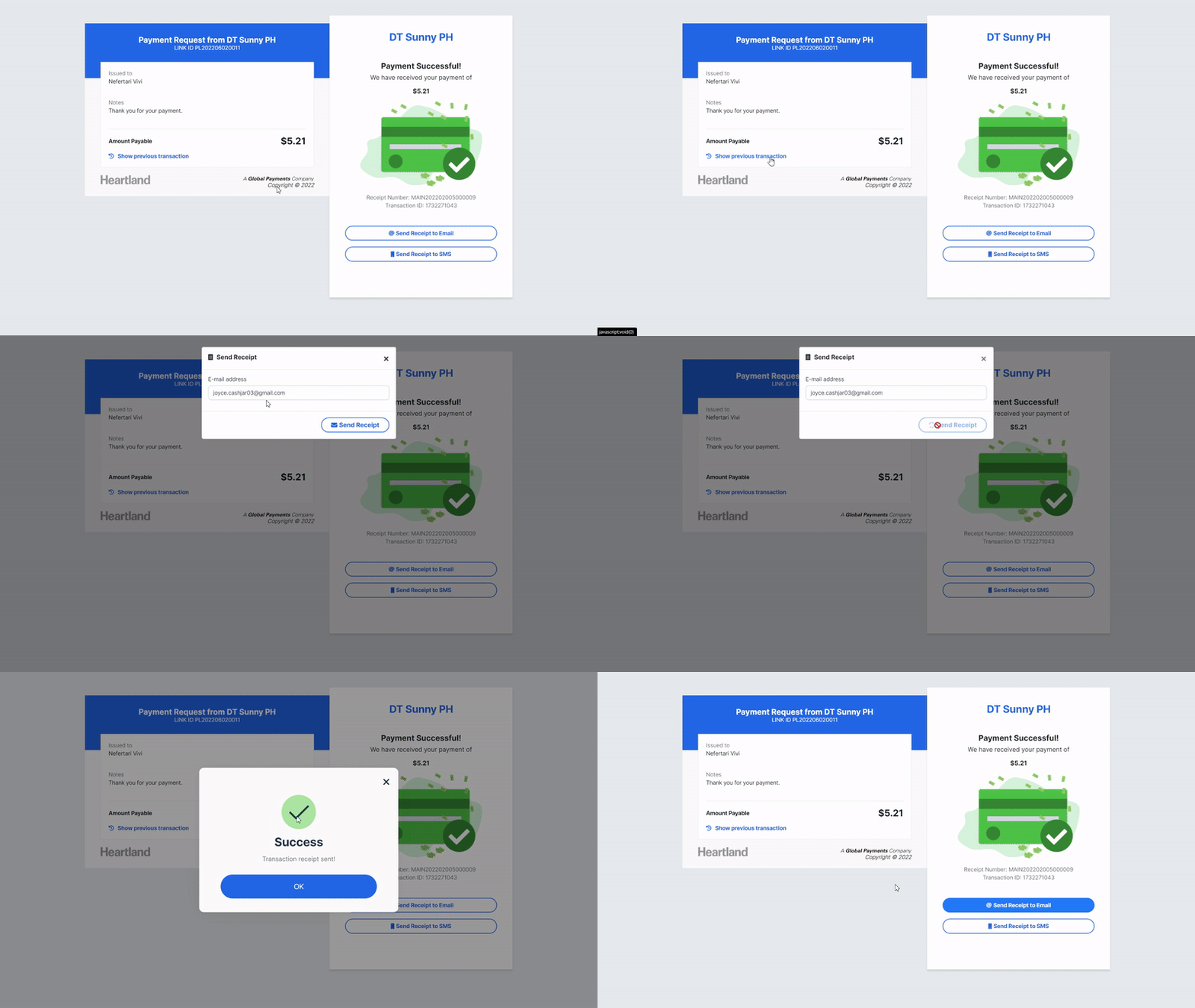
Once payment is successful, click Send Receipt to Email or Send Receipt to SMS to get a copy of the transaction.
Step 2
Send Receipt modal will appear. Input preferred email address/mobile number to send receipt.
Step 3
Click Send Receipt.
 A message will be displayed when sending transaction receipt is successful.
NOTE: You will encounter a different alert prompt when customer’s mobile number is not yet opted in to Payments Manager+ SMS alerts.
*Learn more how customers may opt-in/opt-out to Payments manager+ SMS alerts. Click here.
Step 4
Click OK.
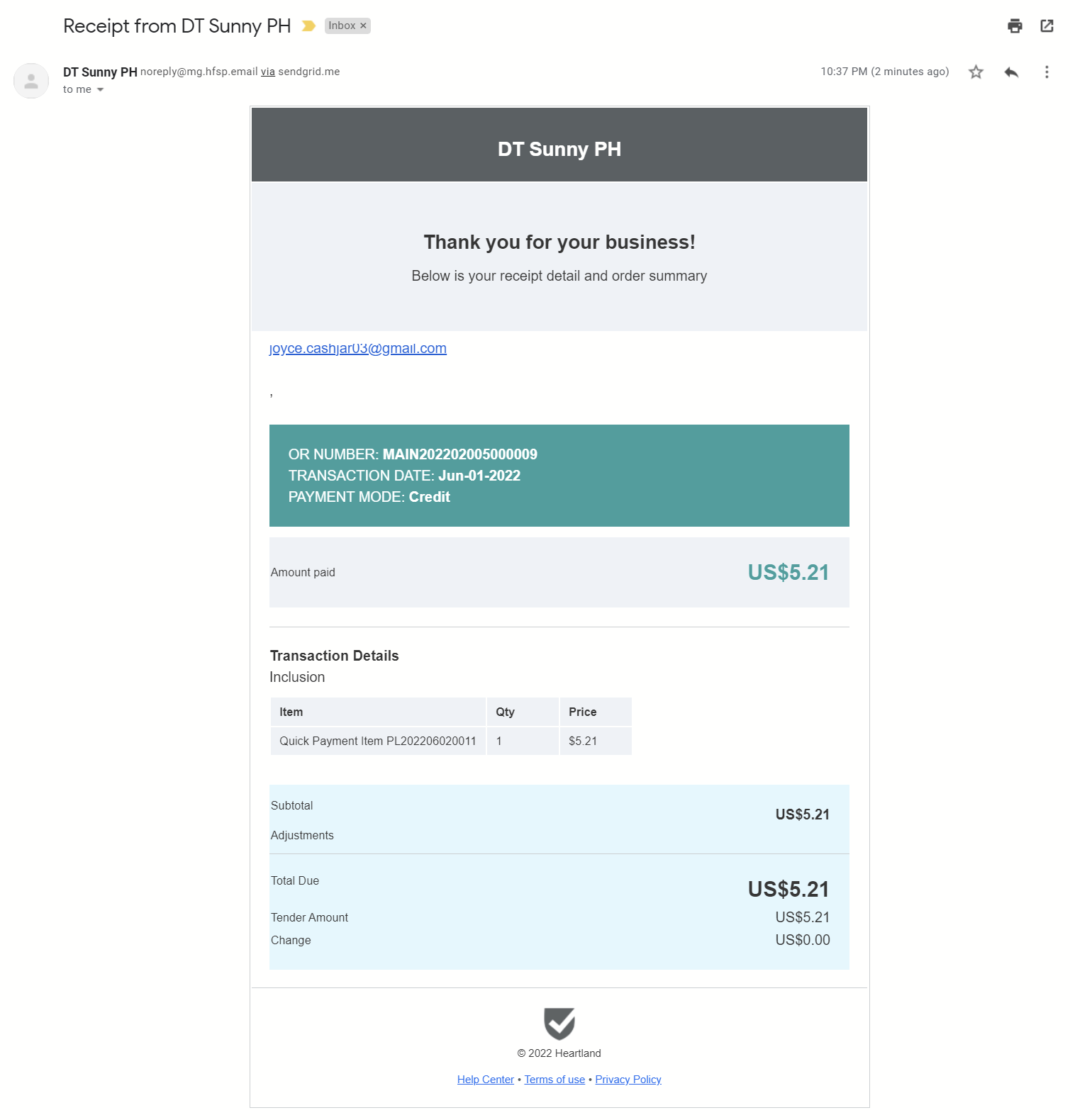
EMAIL RECEIPT PREVIEW

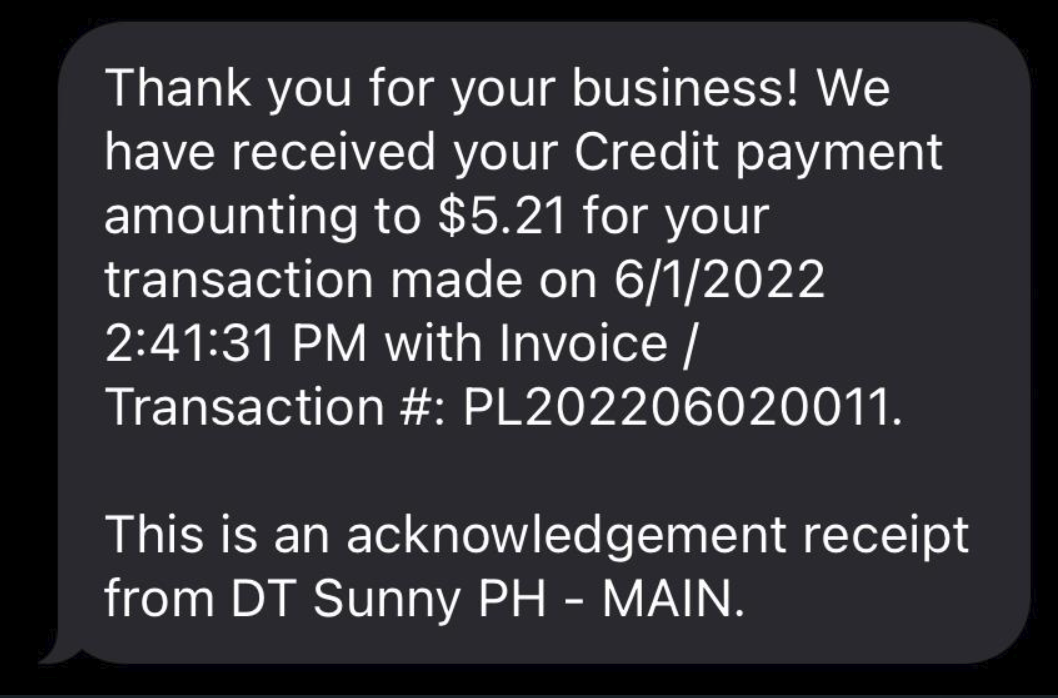
SMS RECEIPT PREVIEW
Comments
0 comments
Please sign in to leave a comment.