
Step 1
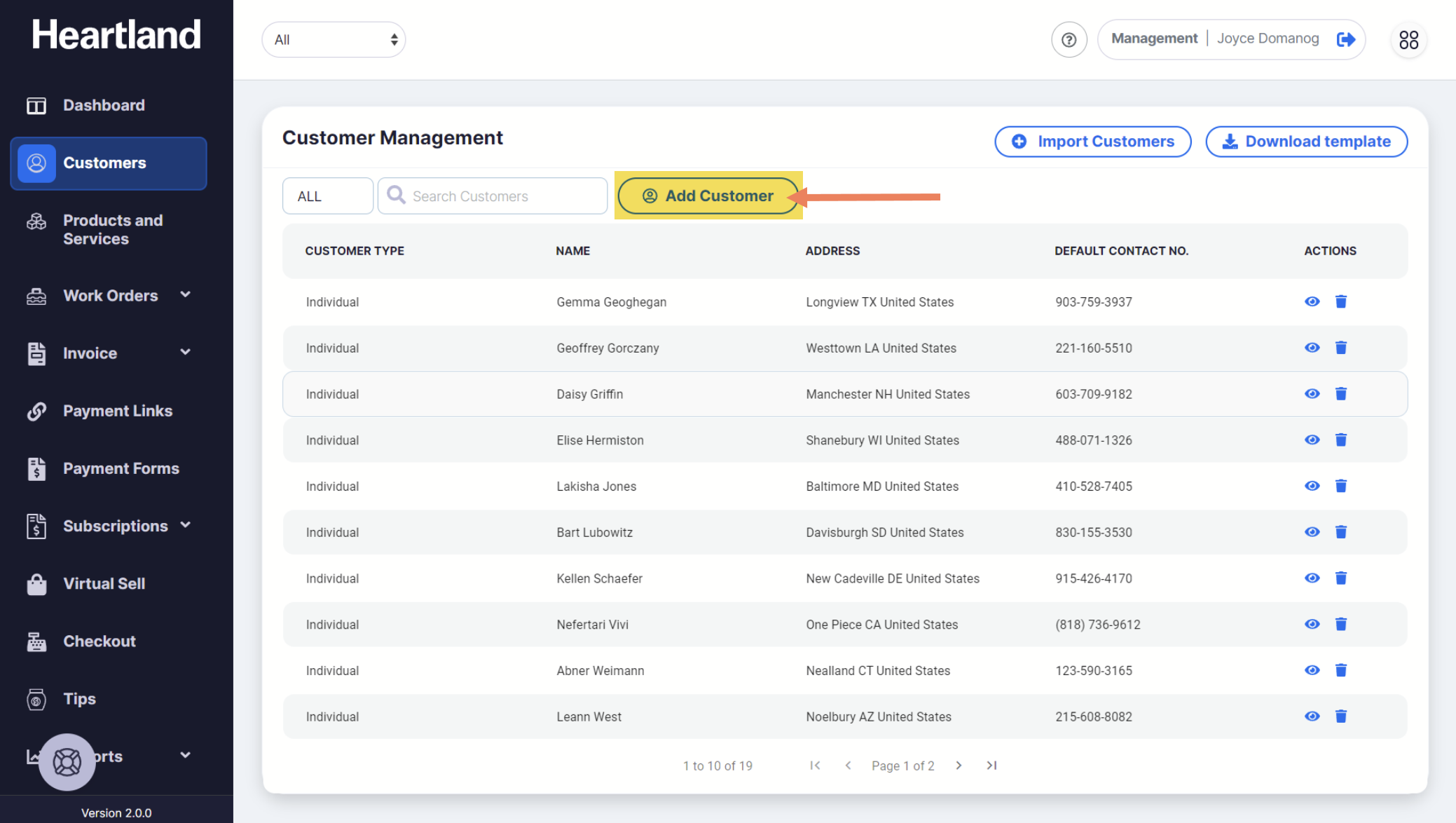
From Customer Management page, click Add Customer.
Step 2
Add Customer slide-out modal will appear.
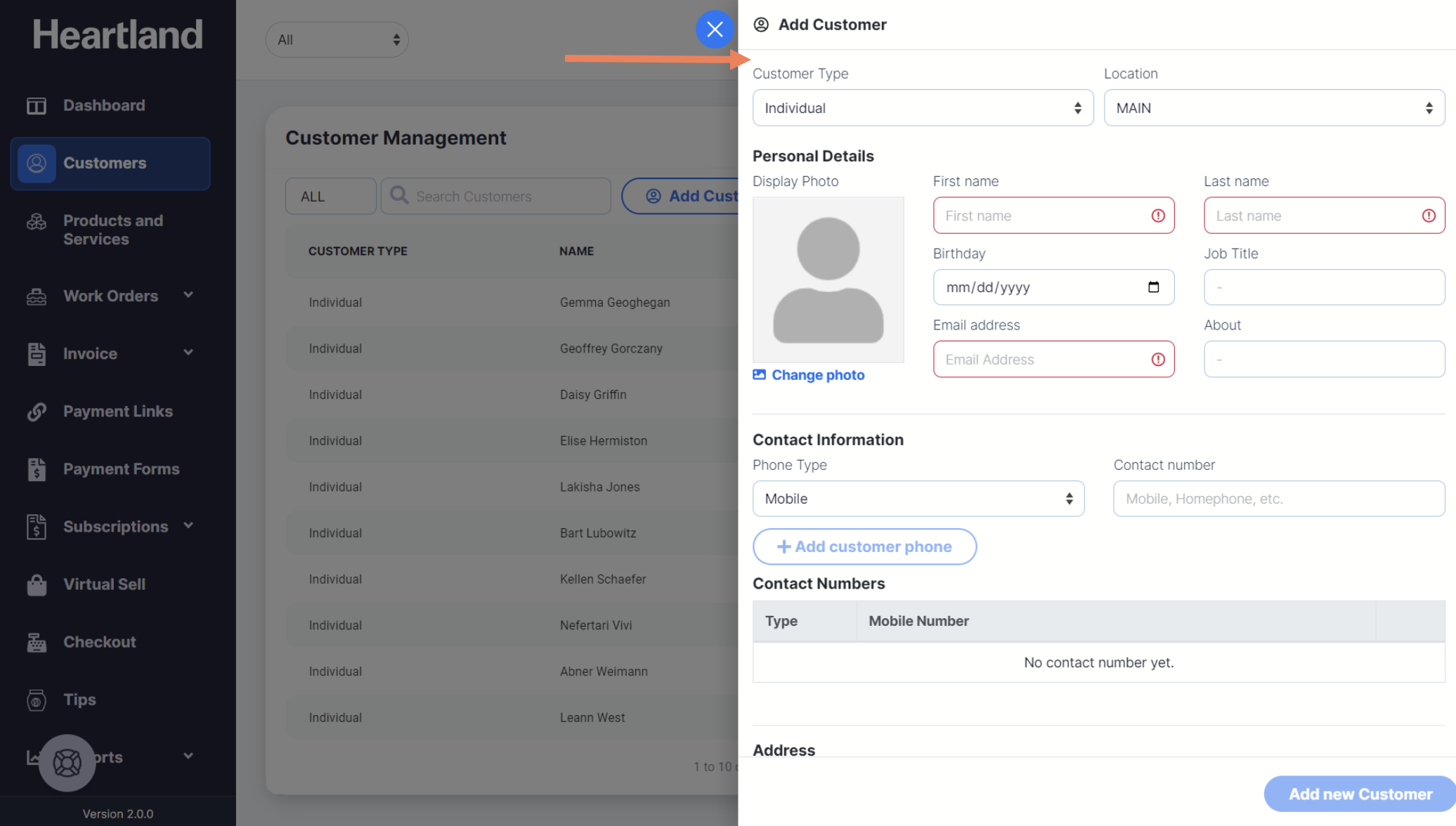
 By default, Customer Type and Location are set to Individual and Main respectively.
Step 3
Populate the required fields when adding Individual type Customers.
Step 4
Click Add new Customer.
 A message will be displayed when adding a customer record is successful.
Step 5
Click OK.
NOTE: You should see the newly added customer in the Customer’s page list.
Comments
0 comments
Please sign in to leave a comment.