
 What is CVV?
 Card Verification Value (CVV) is a series of unique numbers that, in addition to bank card number, is embossed or printed on the card that may be used in completing transactions to provide added security against scams.
Which module is this feature applied?
Payment Manager+’ CVV Security Feature is applied on modules with Card on File payments.
Enable or Disable CVV Security Feature
Step 1
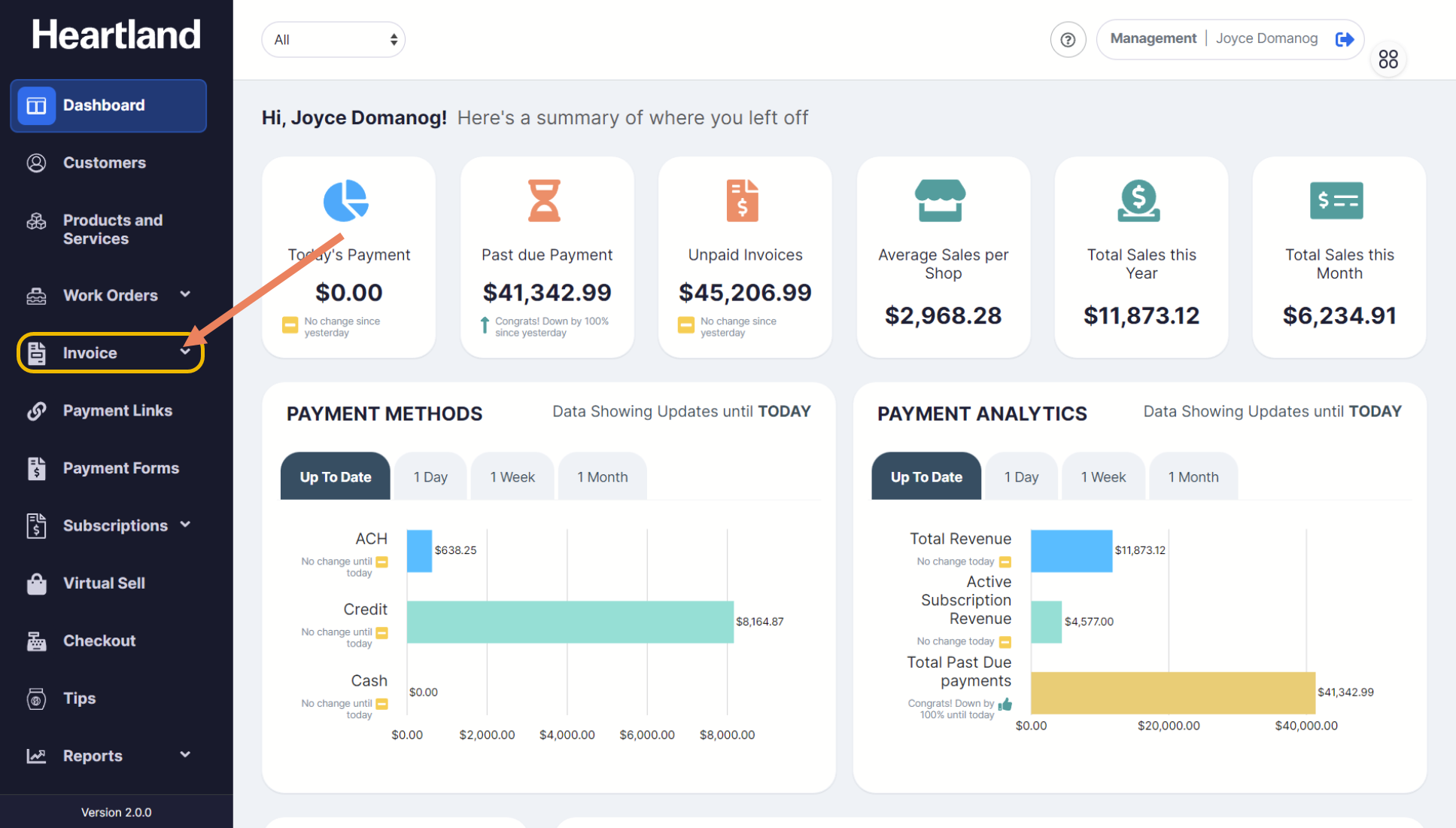
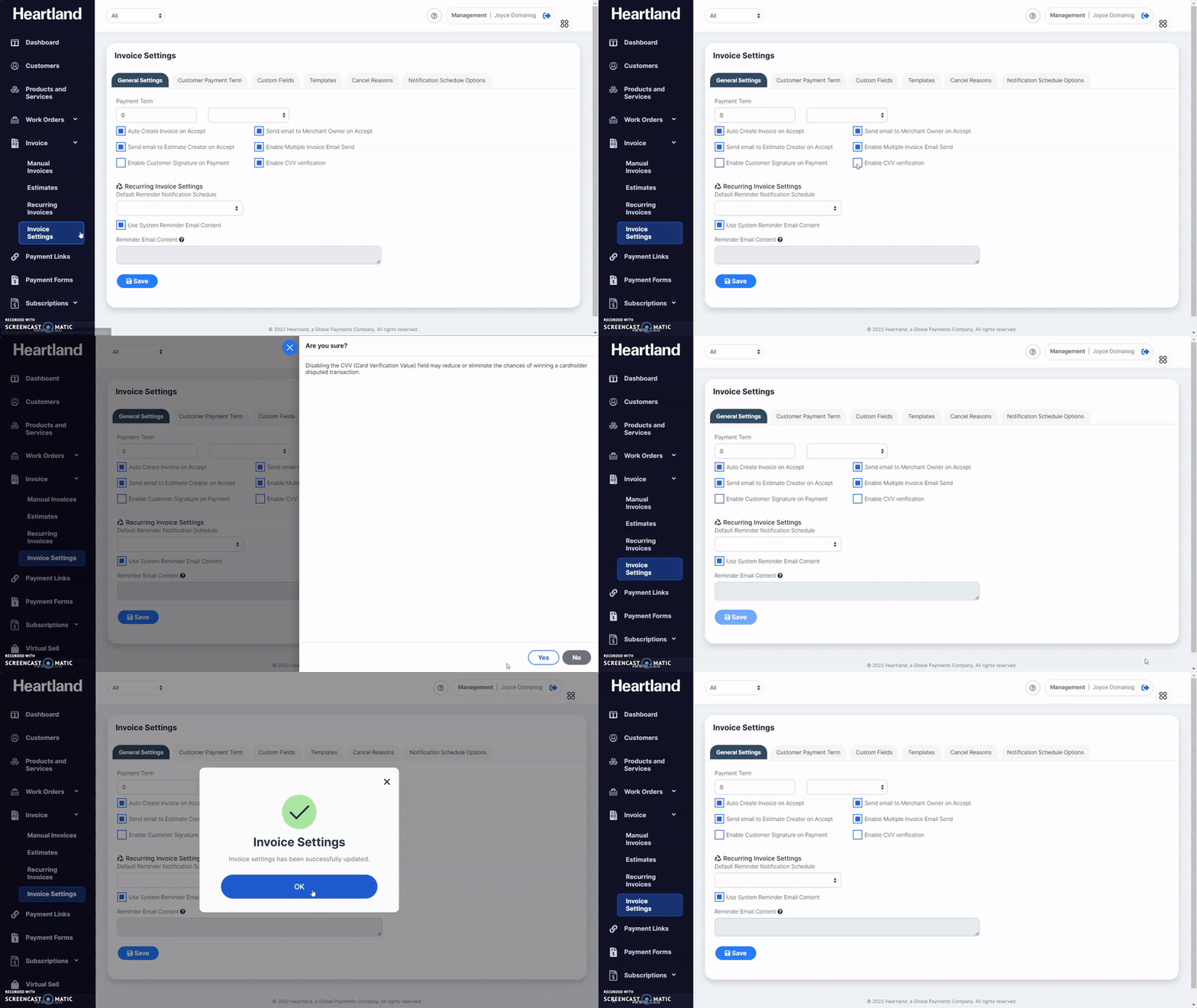
From the Dashboard, click Invoice dropdown, it will show Invoice sub-modules.
Once invoice sub-modules appear, select Invoice Settings.
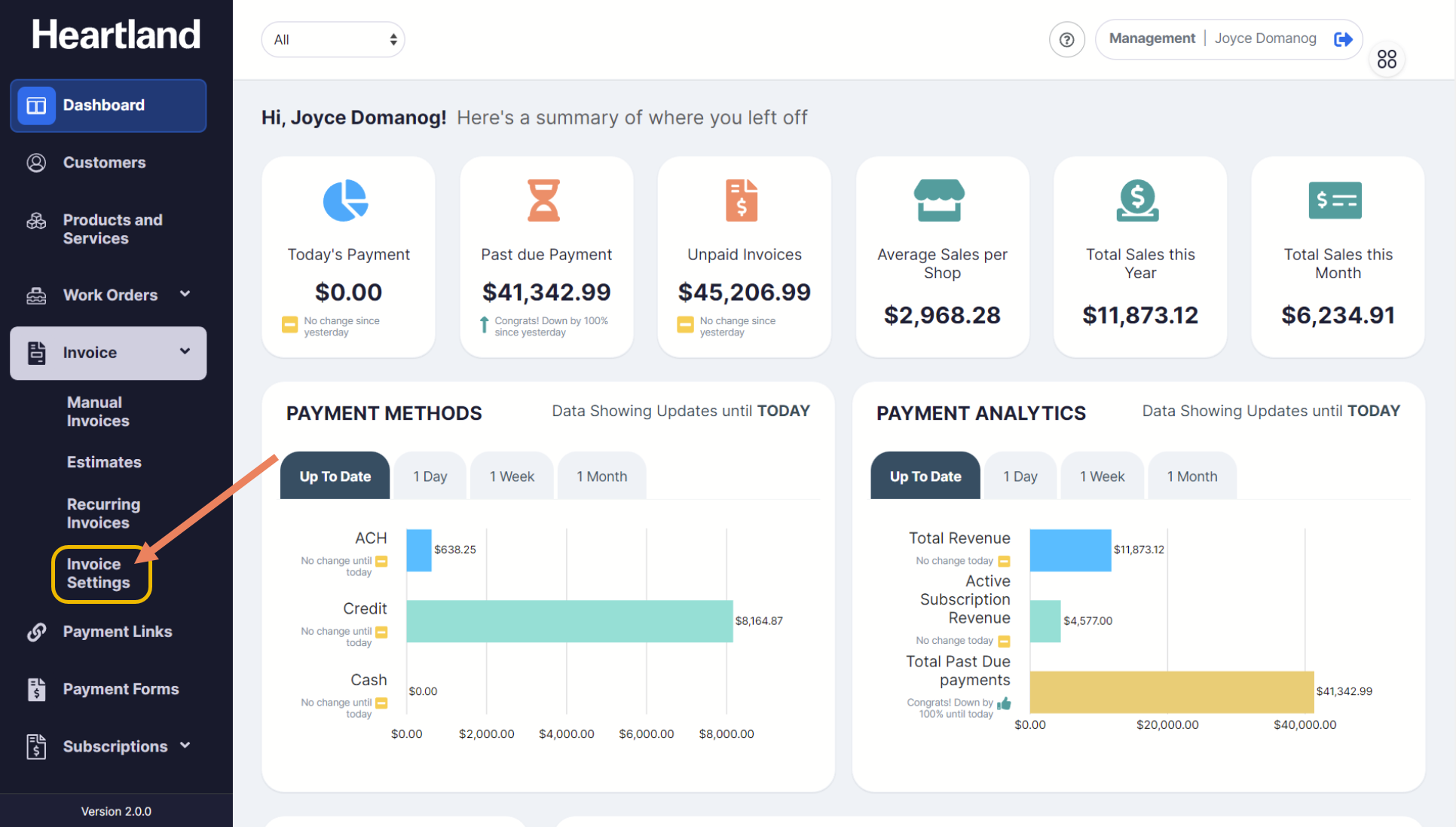
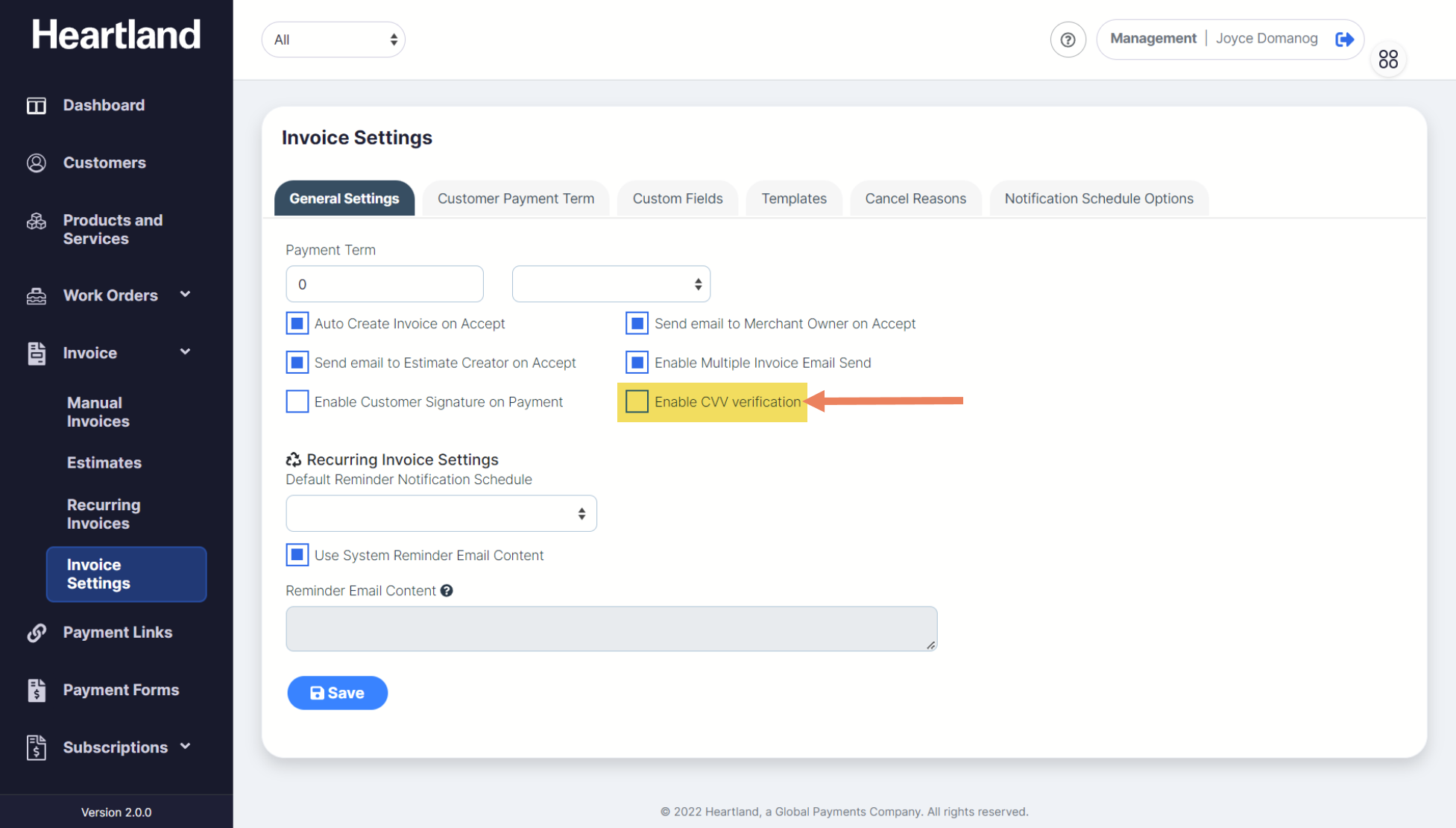
To enable/disable CVV input, under General Settings tab, tick Enable CVV verification box.
Click Save.
 A success message will be displayed once changes has been updated.
Step 5
Click OK.
When enabling CVV input, a success message will appear indicating that Invoice Settings has been updated.
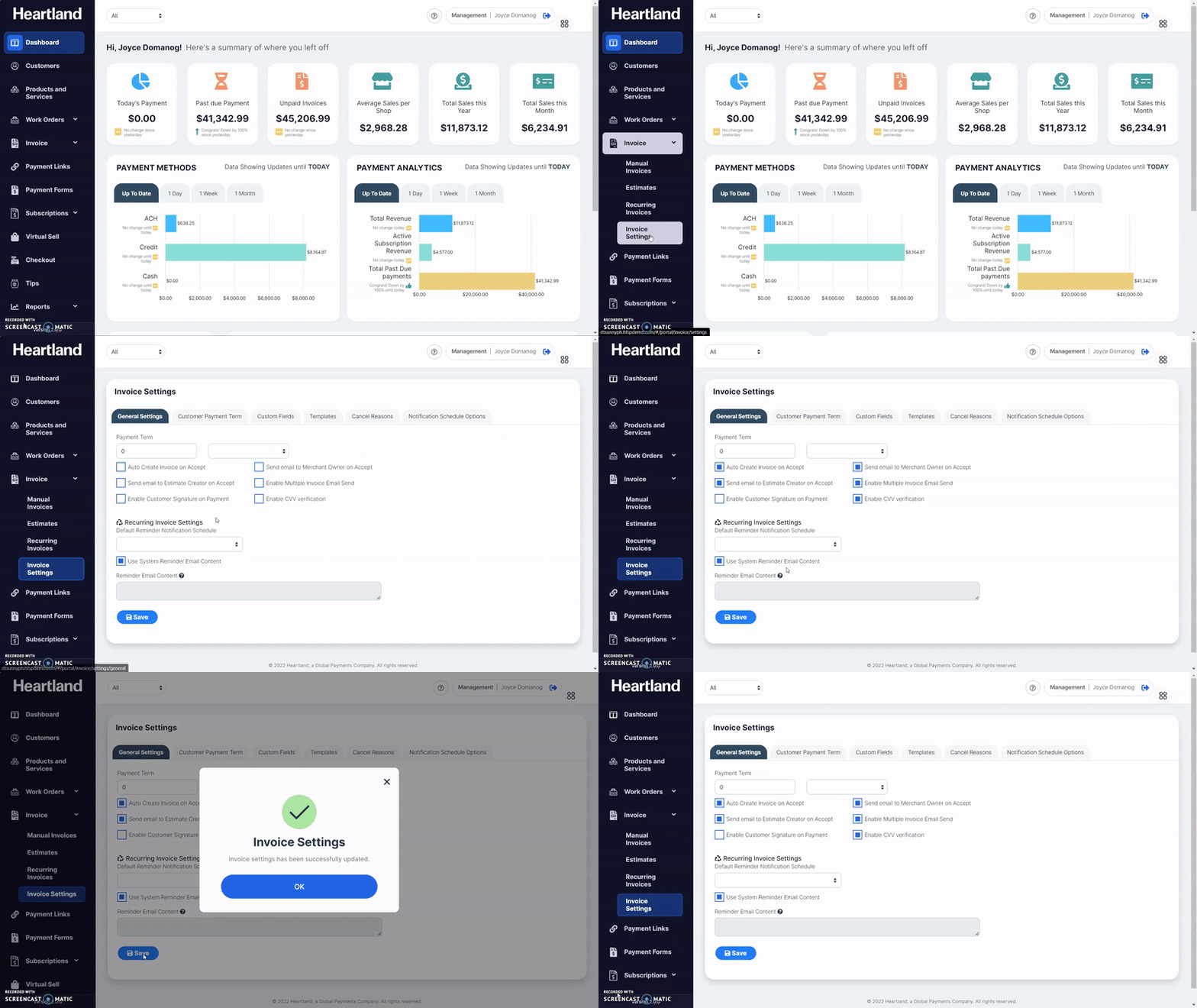
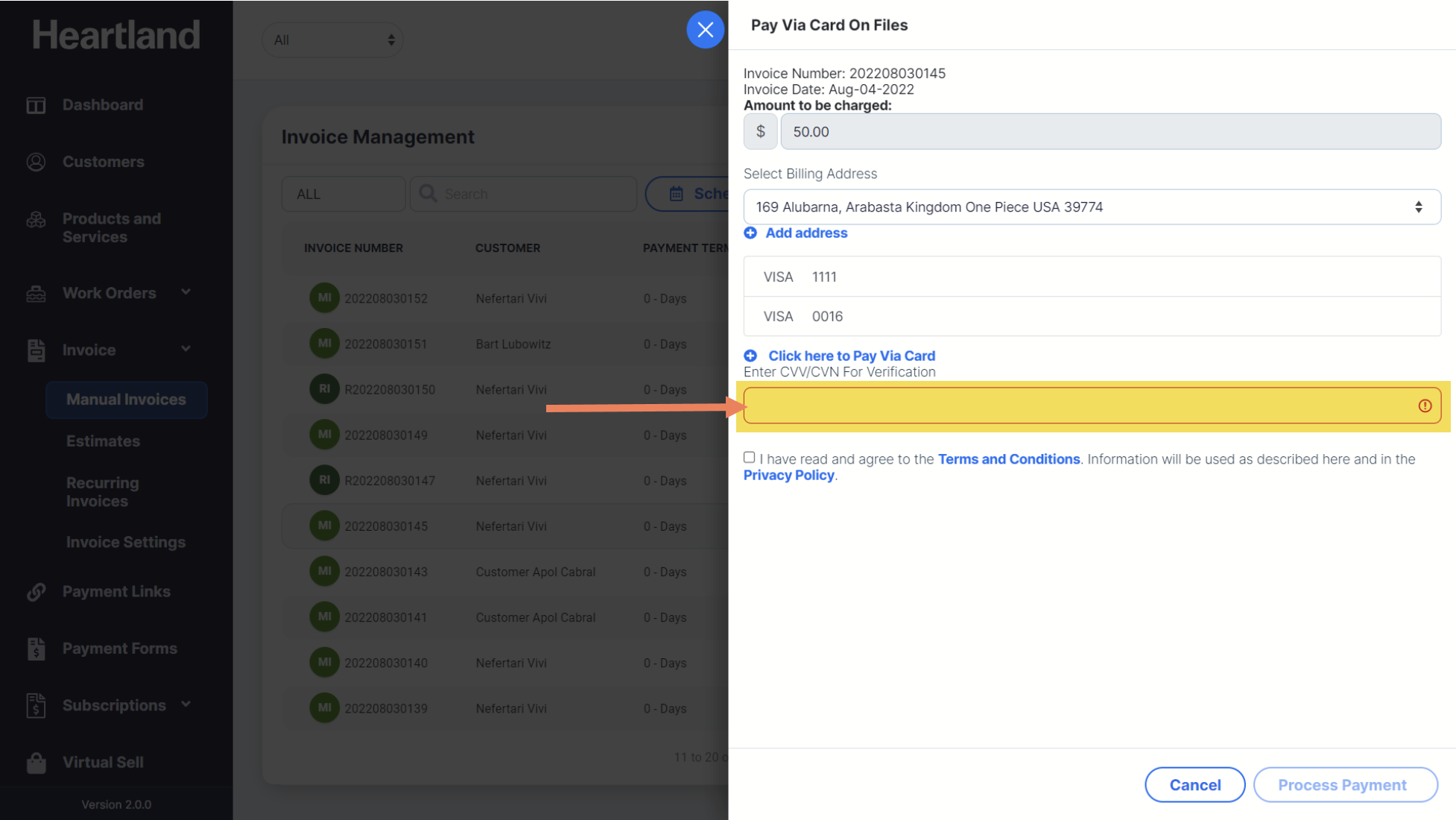
NOTE: If CVV input is enabled, CVV field is shown on Pay via Card modal.
When disabling CVV input, a confirmation slide-out modal will appear and changes in invoice settings will be successfully updated.
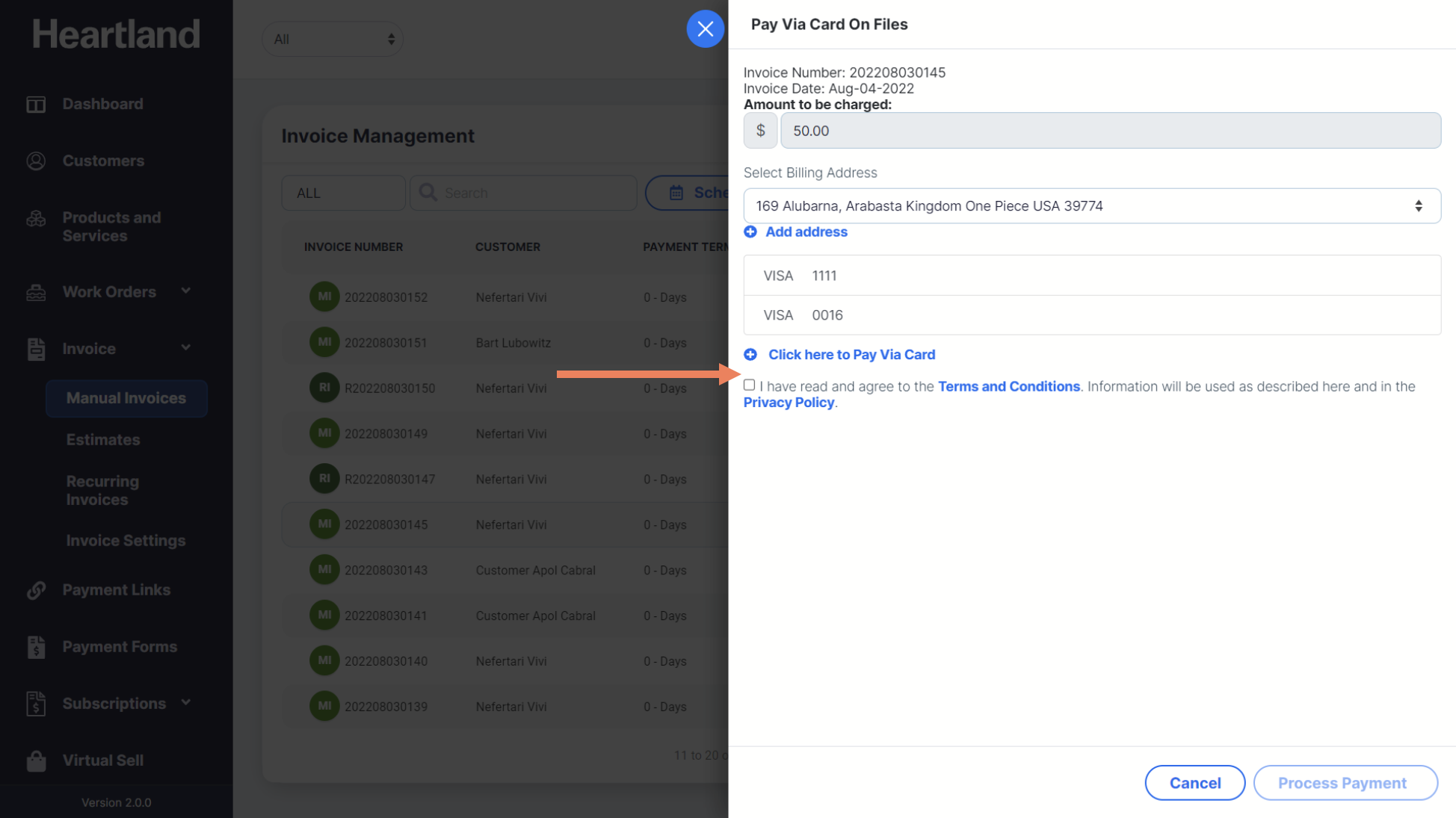
NOTE: If CVV input is disabled, the field is hidden on Pay via Card modal.
Comments
0 comments
Please sign in to leave a comment.