
 Payment Links is a feature added to Payments Manager+ merchant portal to manage customer transactions and to allow businesses to accept online payments from customers with ease.
 What are Payment Links?
Payment Links will be a gateway for customers to pay for online services easily via Credit Card or Automated Clearing House (ACH) payment by QR code scanning or by sending quick links through Email and/or SMS.
Step 1
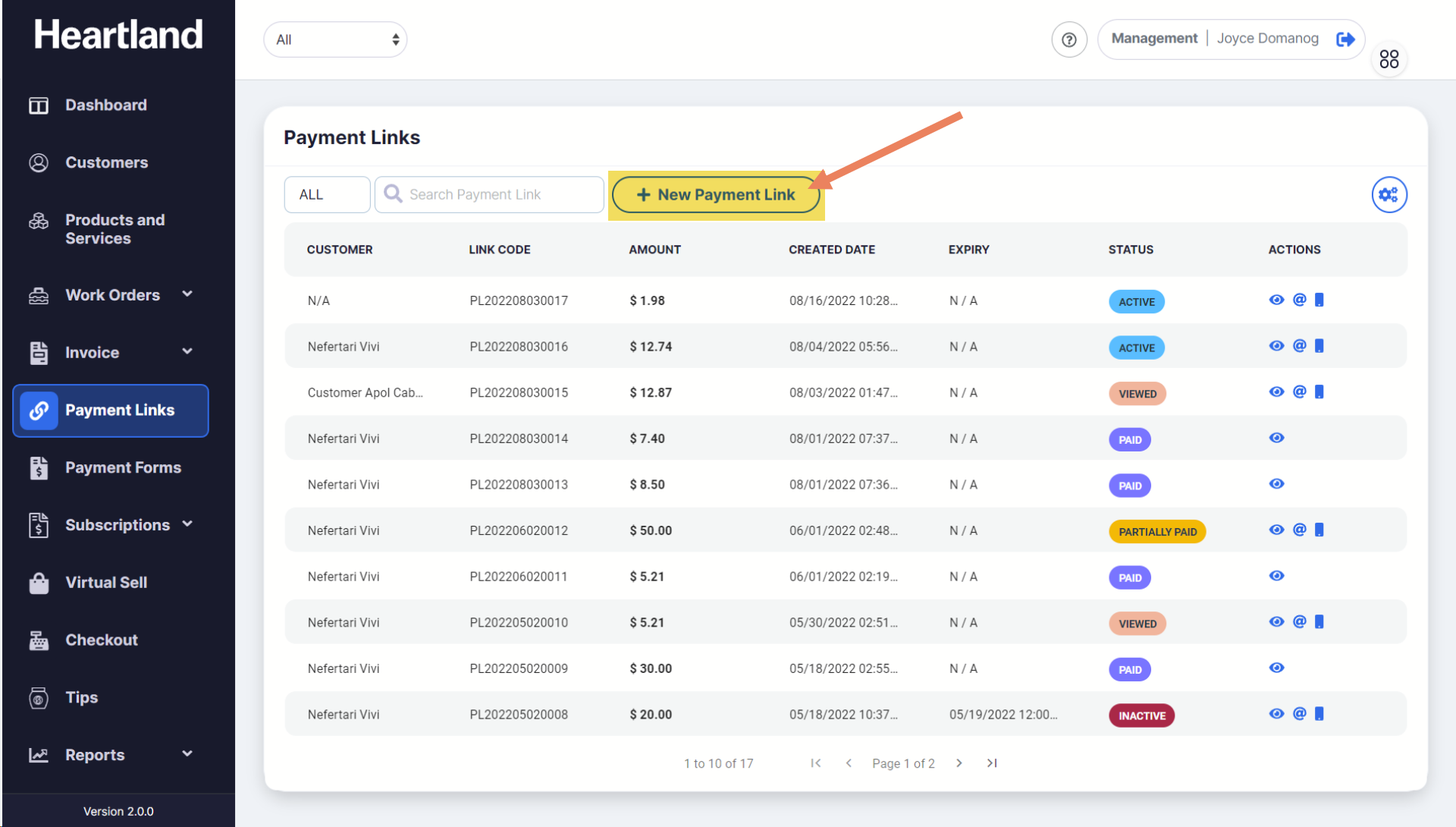
From Payment Links page, click New Payment Link.
Step 2
New Payment Link slide-out modal will appear.

Step 3
Populate the required fields and select preferred Configuration Settings (optional) for the Payment Link.
*If you wish to learn how to add a new customer on Payment Link creation, click here.
Step 4
Click Create Payment Link.
 A success message will be displayed once the New Payment Link has been created.
Step 5
Click OK.
You will see a slide-out modal containing the details of the newly created Payment Link.
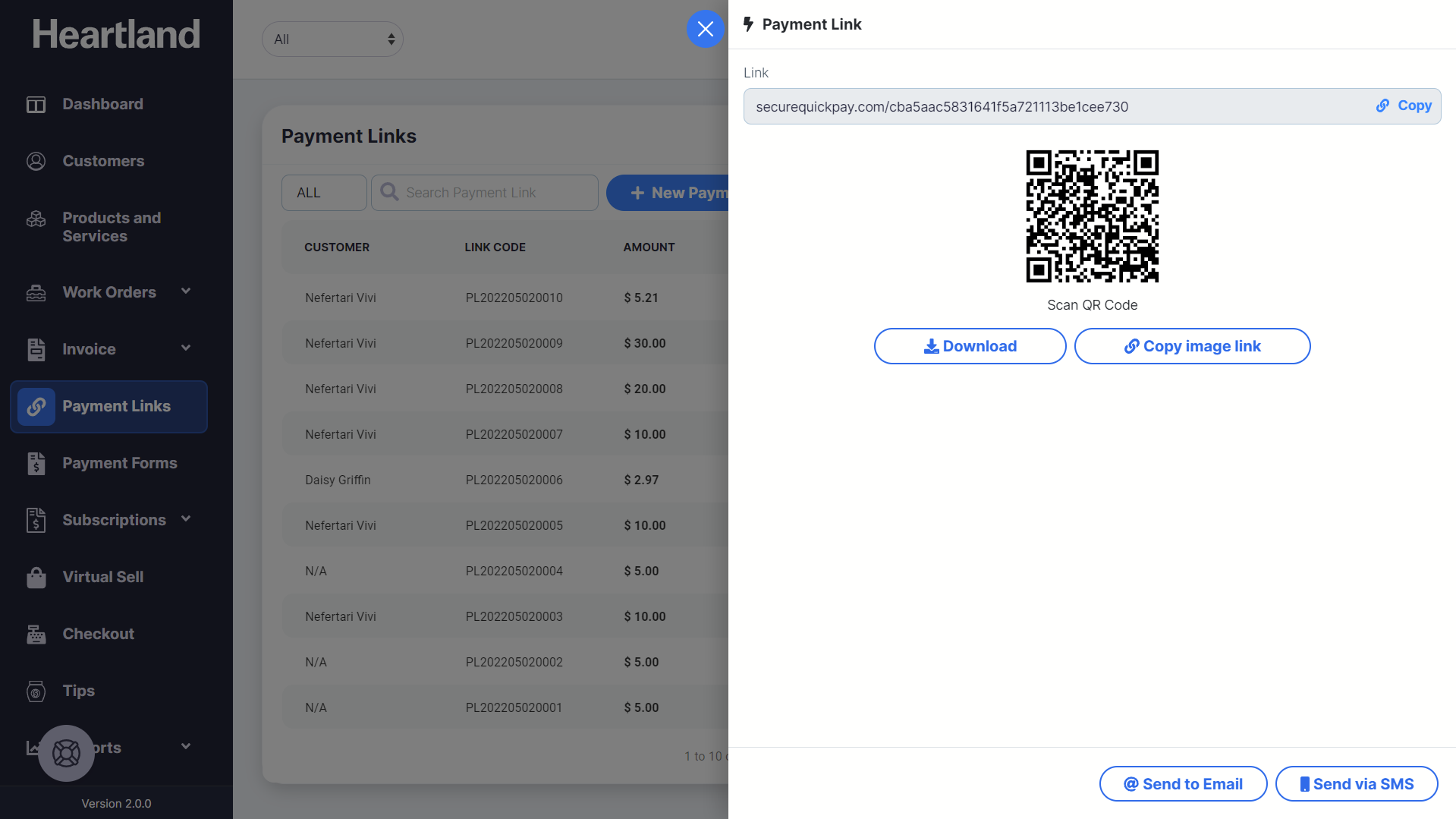
Newly created Payment Link status will show as ACTIVE.

Comments
0 comments
Article is closed for comments.