
Step 1
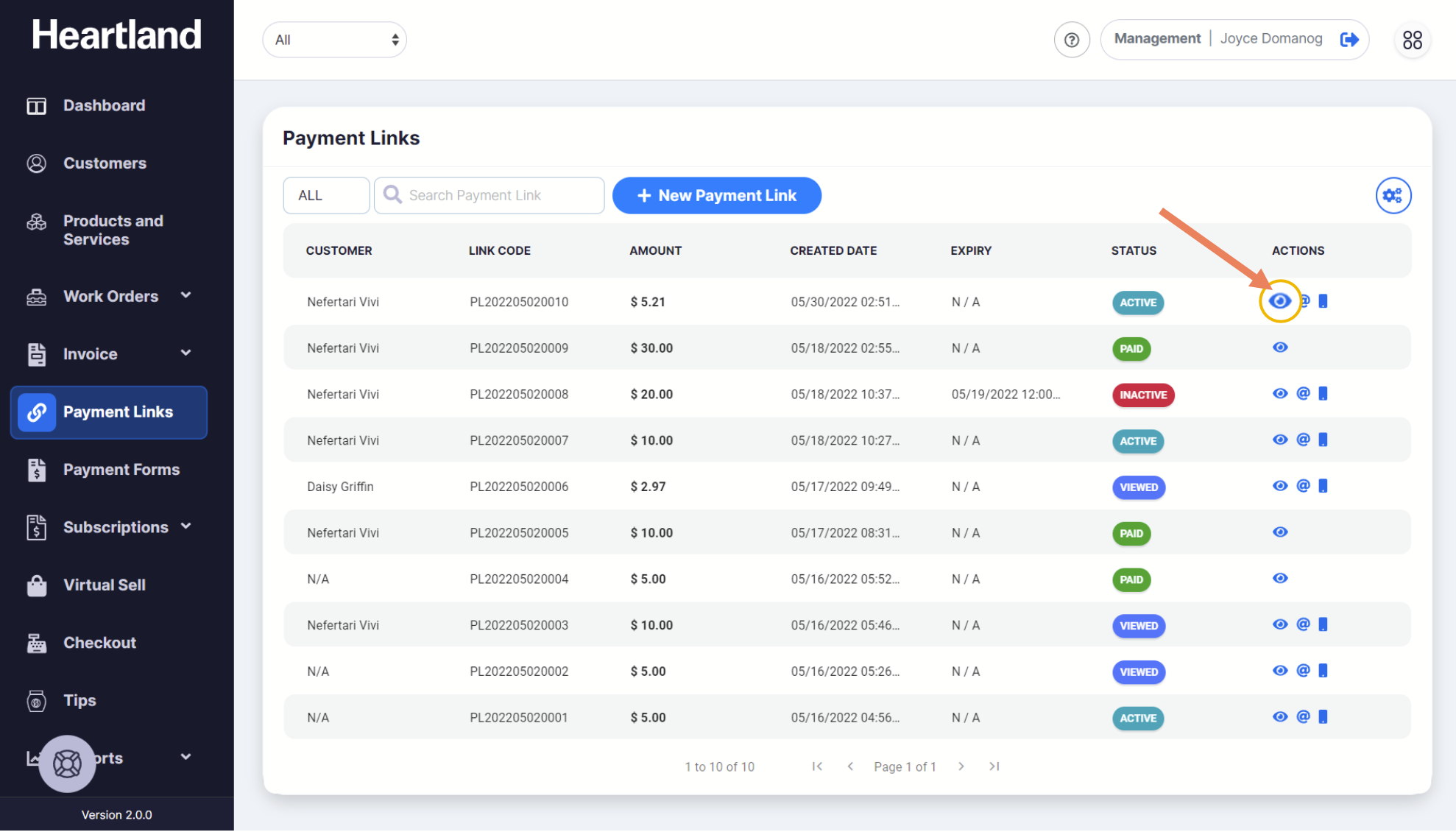
To view the details of a Payment Link, from the Payment Link page, click the eye icon (👁) under the Actions column.

Edit Payment Link slide-out modal will appear. This will contain the details of the existing Payment Link.
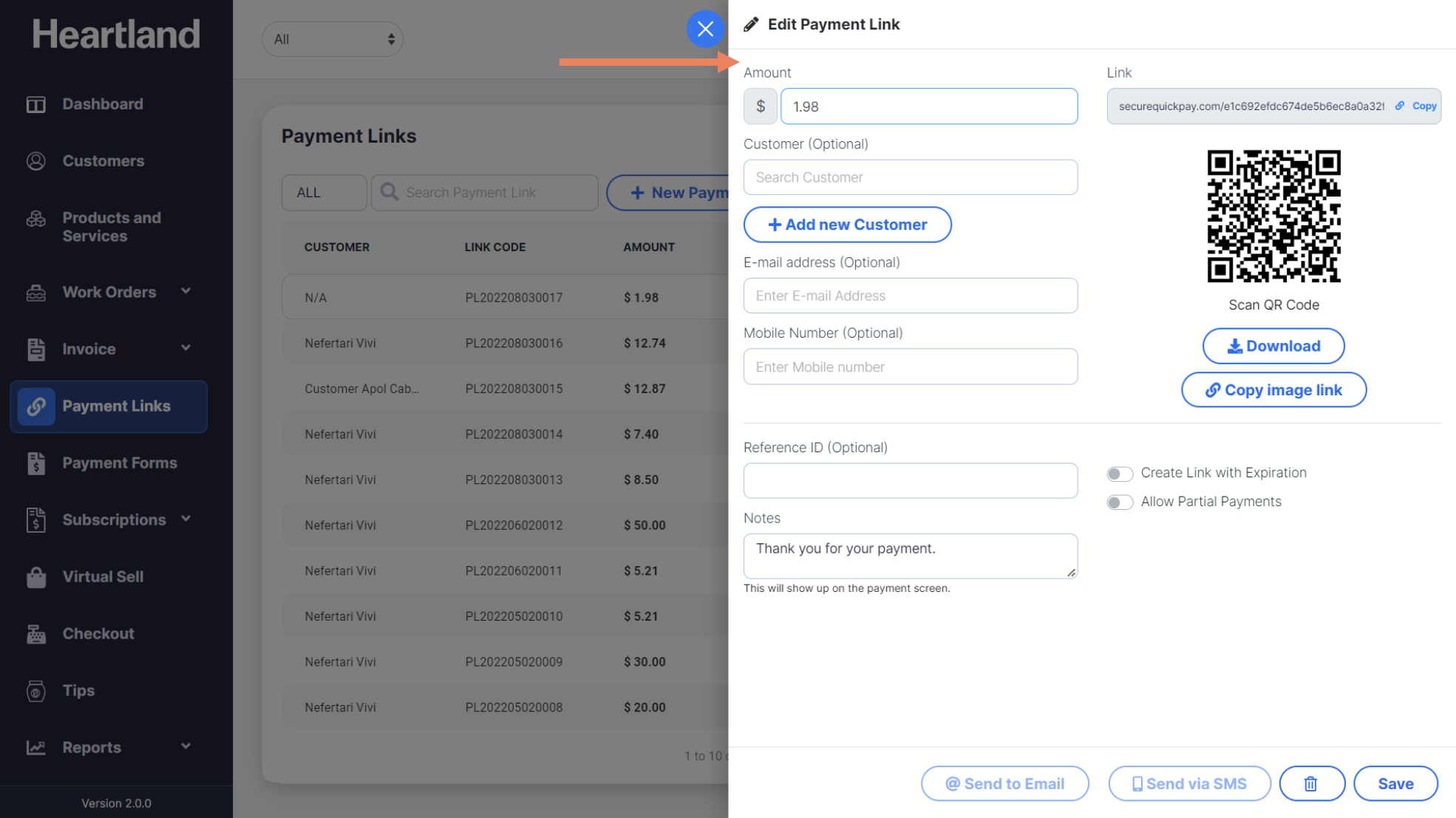

Apply edits and click Save.
 A message will be displayed once editing Payment Link has been successful.
Step 4
Click OK.
Comments
0 comments
Article is closed for comments.