
Step 1
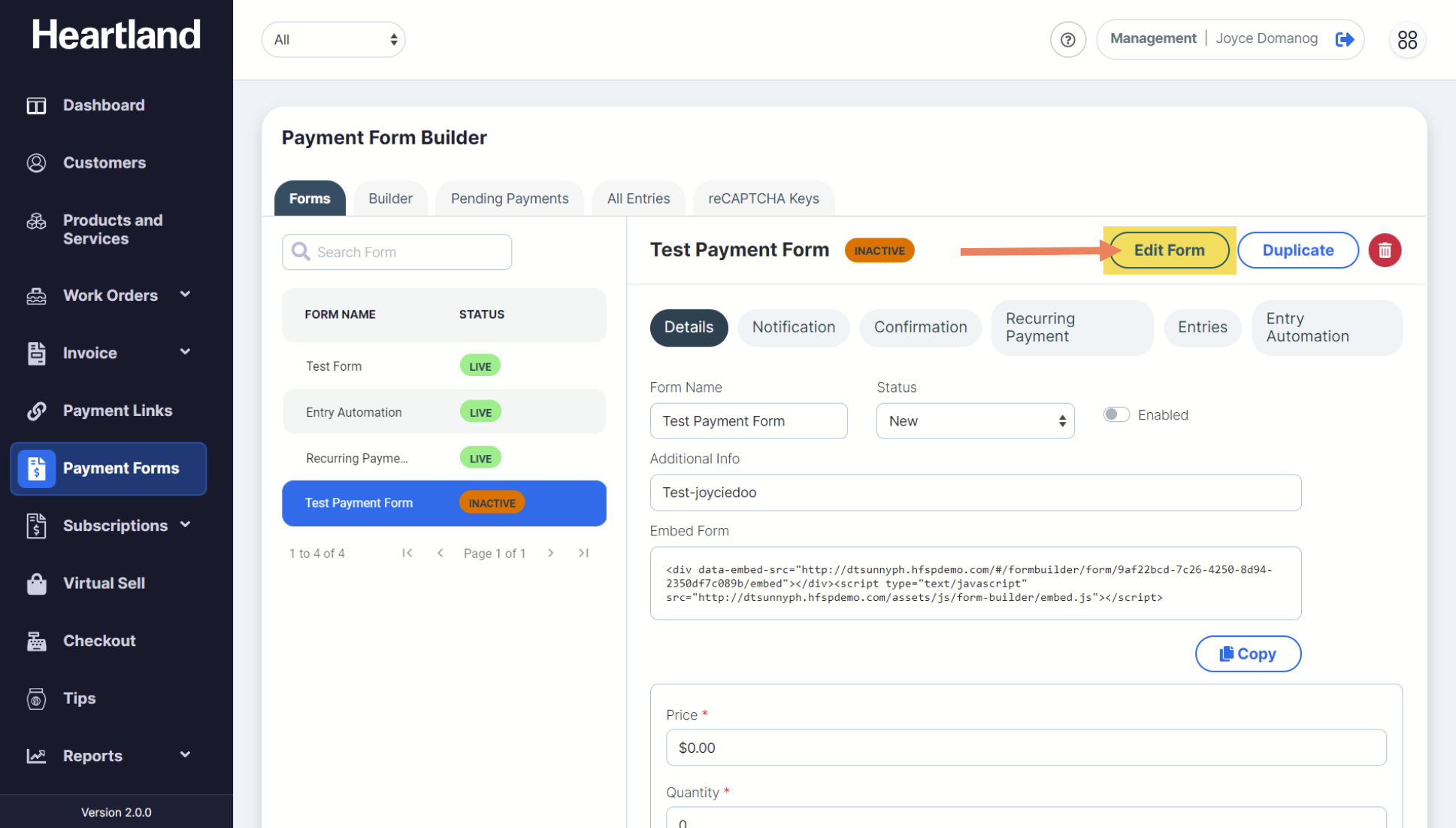
To edit the components added on the Payment Form, click the Edit Form button on the upper right part of the screen.
Step 2
You will now be redirected to the Form Builder page. Apply changes and click Save Form for changes to apply in the selected payment form.
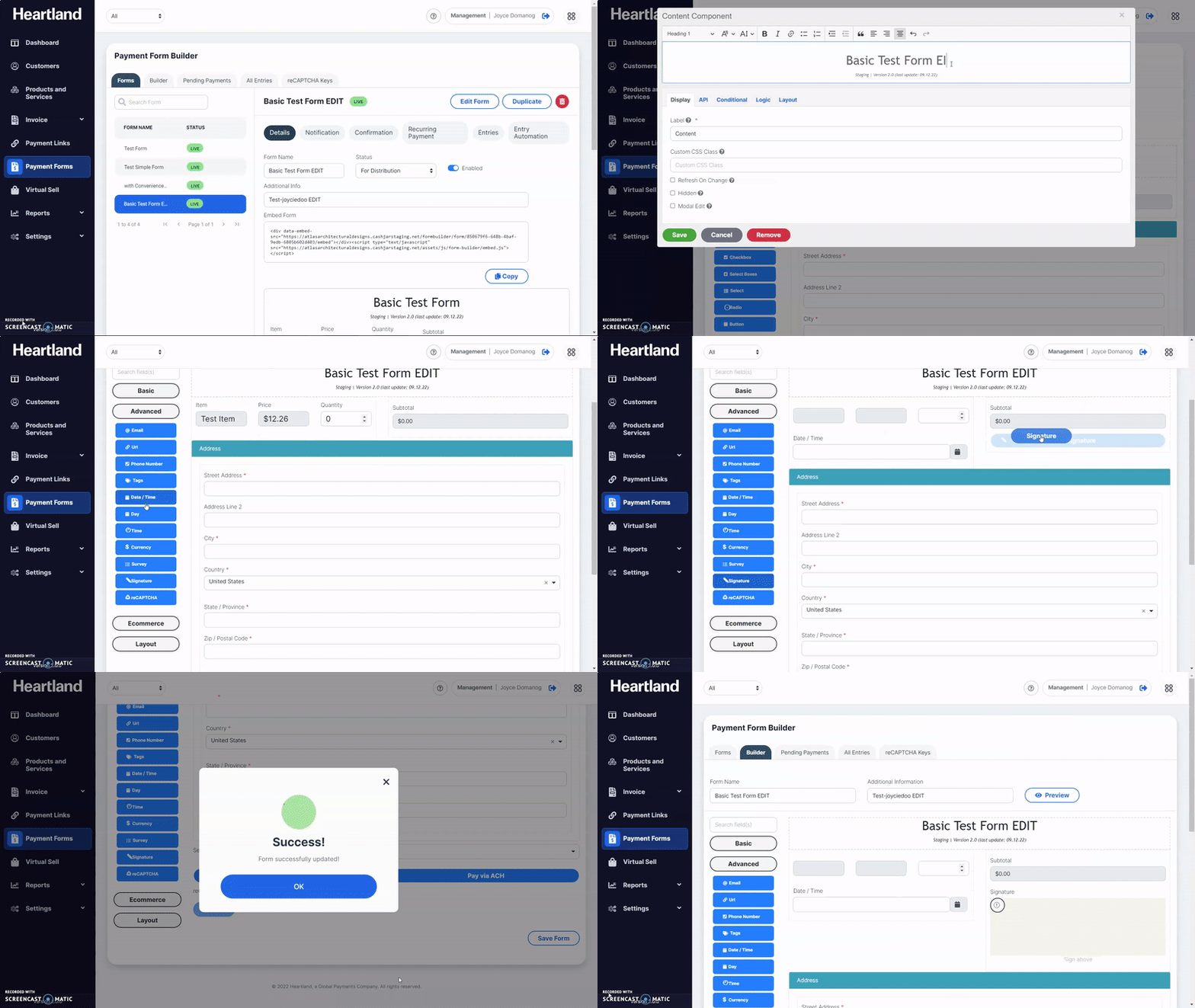
 A message will appear when changes made on the Payment Form has been saved.
Step 3
Click OK.
Step 4
Go back to Forms tab and select a form to embed on your website.
Comments
0 comments
Please sign in to leave a comment.