
Step 1
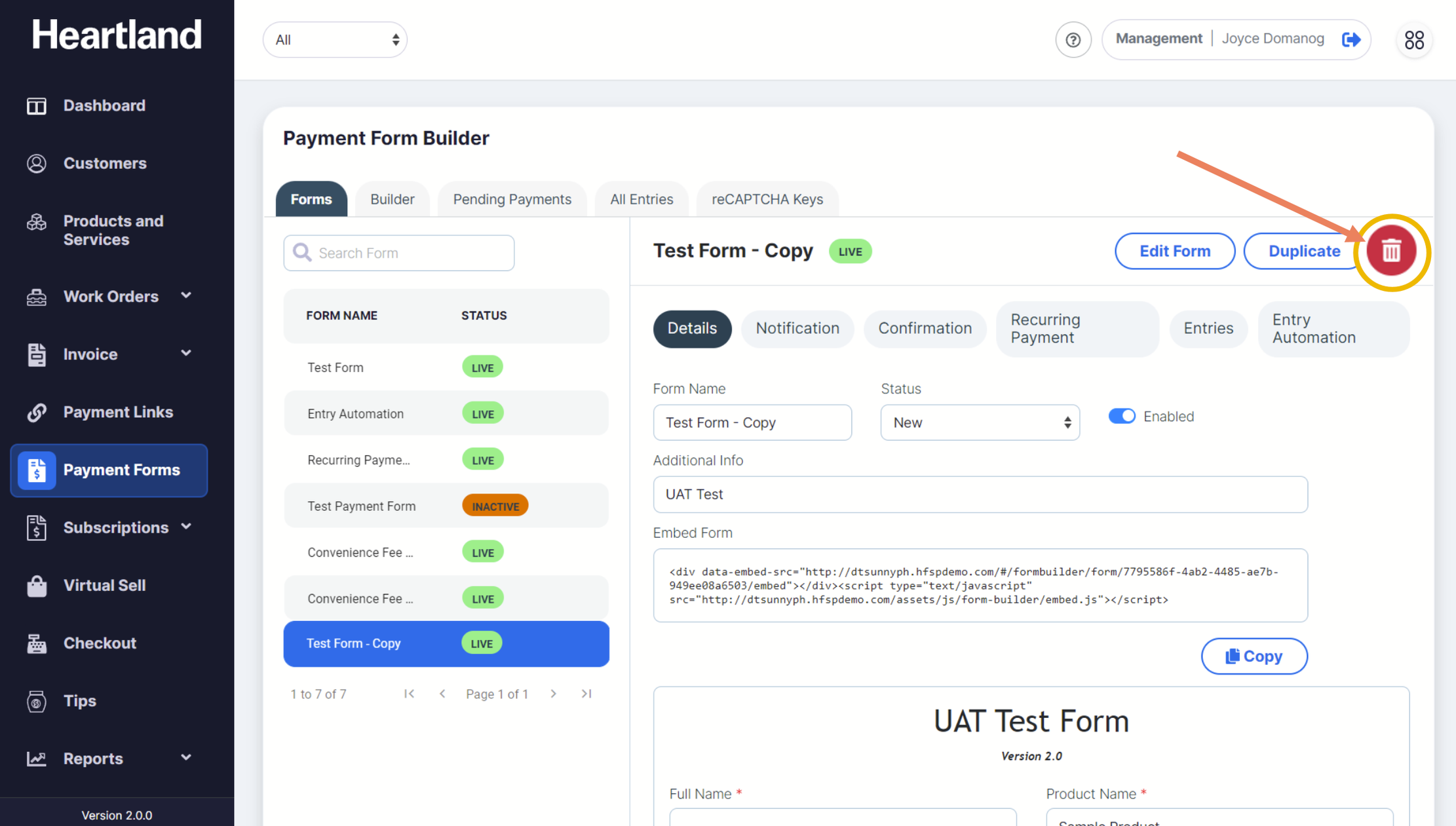
To delete a payment form, click on the wastebasket button (🗑) on the right part of the screen.
Step 2
A confirmation slide-out modal will appear. Click Yes to delete.
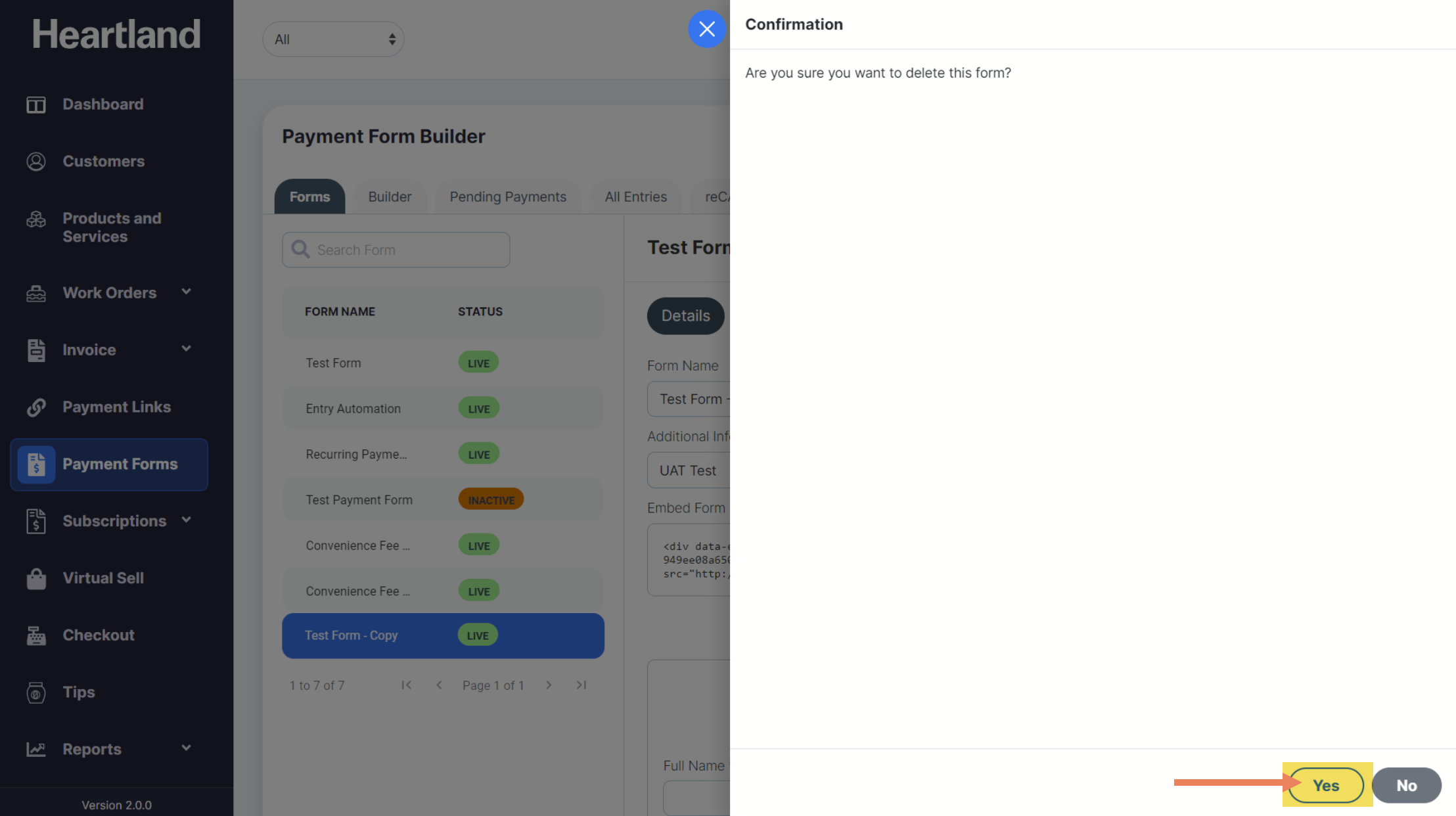
 A message will appear when payment form has been successfully deleted.
Step 3
Click OK.
NOTE: You will be unable to delete a form that has existing entries.
Comments
0 comments
Please sign in to leave a comment.