
 What are Payment Form Entries?
Payment Form Entries are the list of transactions made in all Payment Forms or in a specific payment form. This is to easily track the logs for successful and failed payments.
There are two (2) options to view Payment Form Entries:
1. View All Entries
2. View Selected Form Entries
View All Entries
Step 1
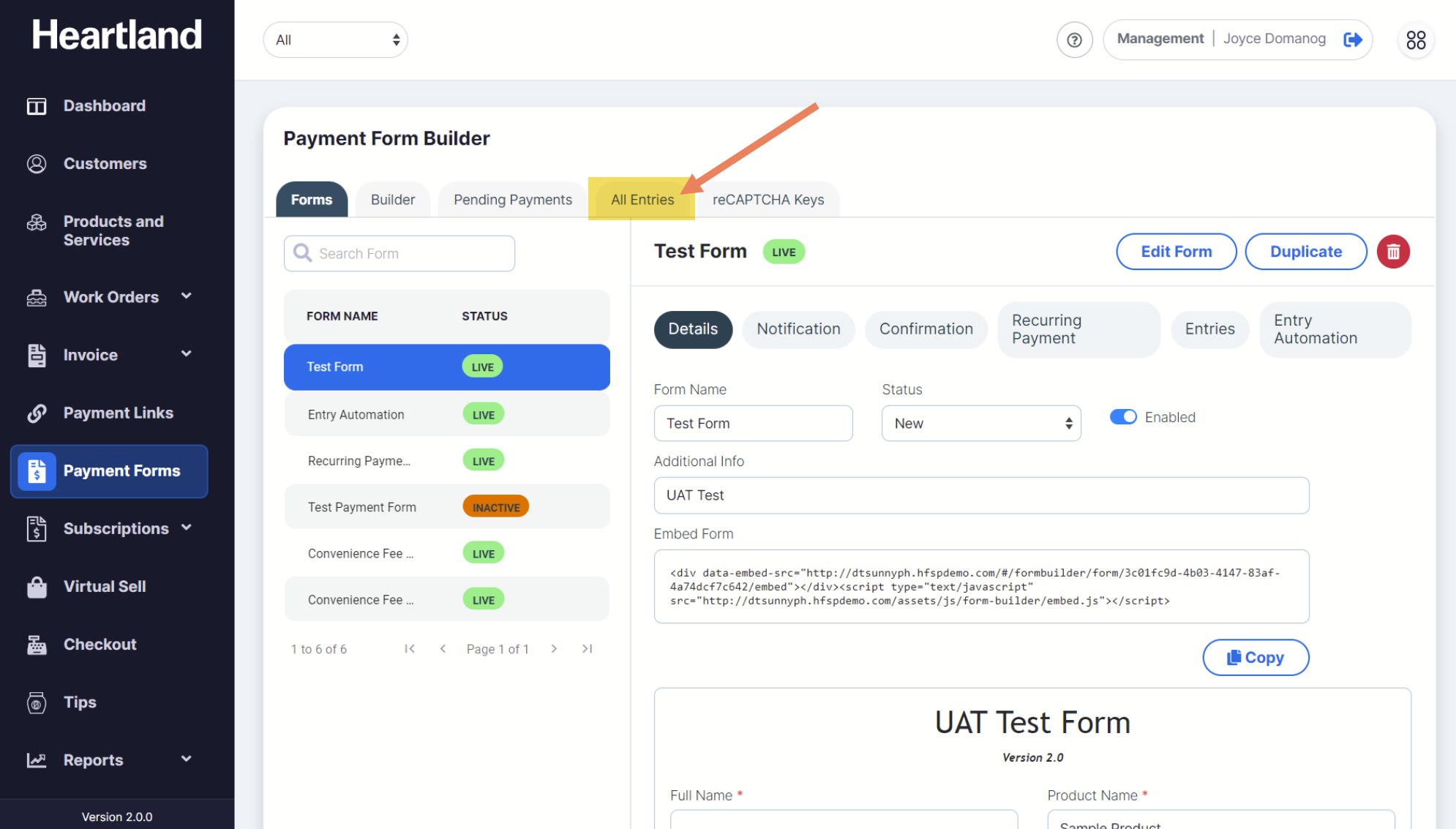
To view Entries made on ALL payment forms, select All Entries tab.
Step 2
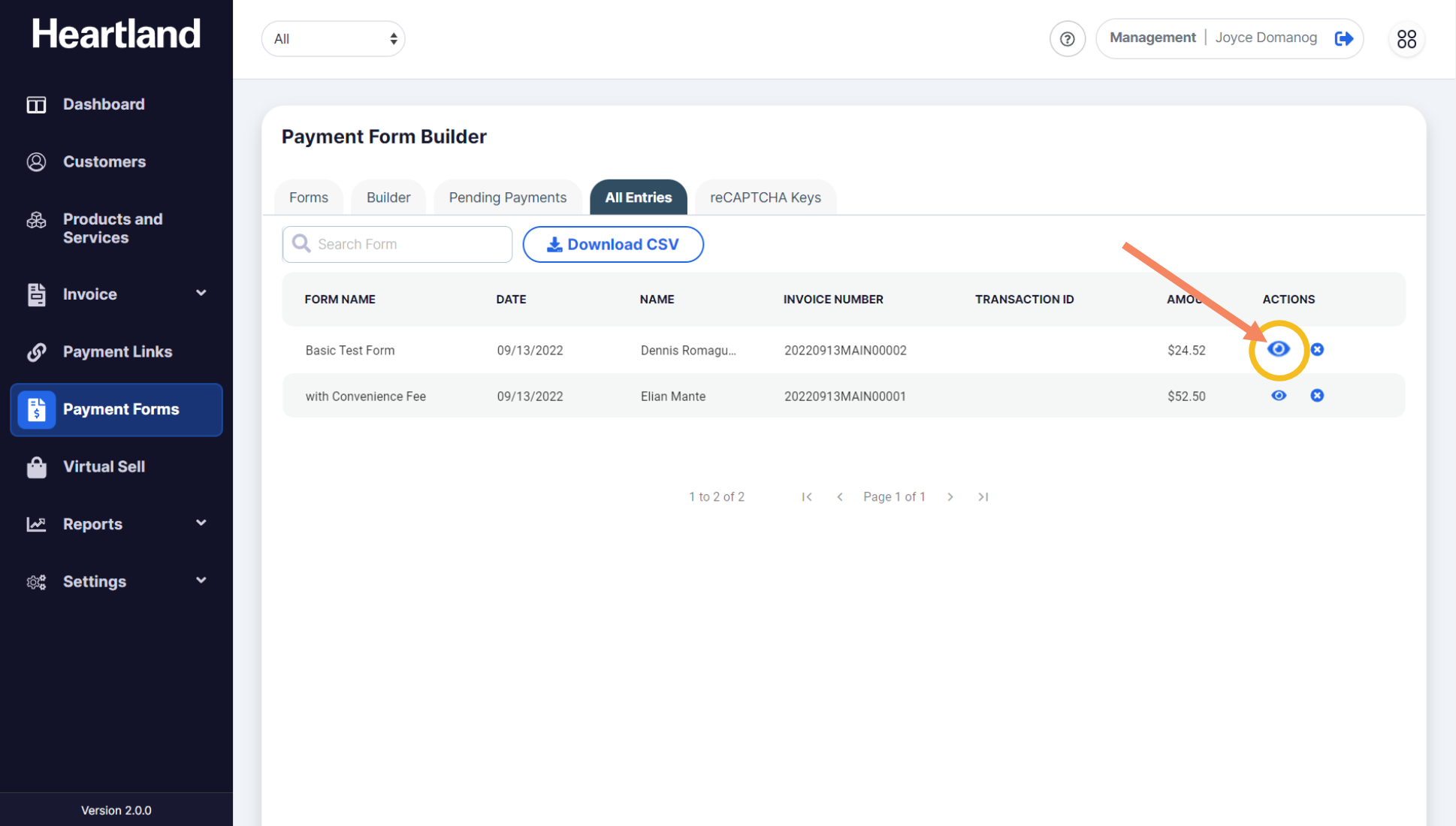
Once you're in Payment Form Entries page, click the eye icon (👁) under Actions column to get more details about the selected transaction.
Step 3
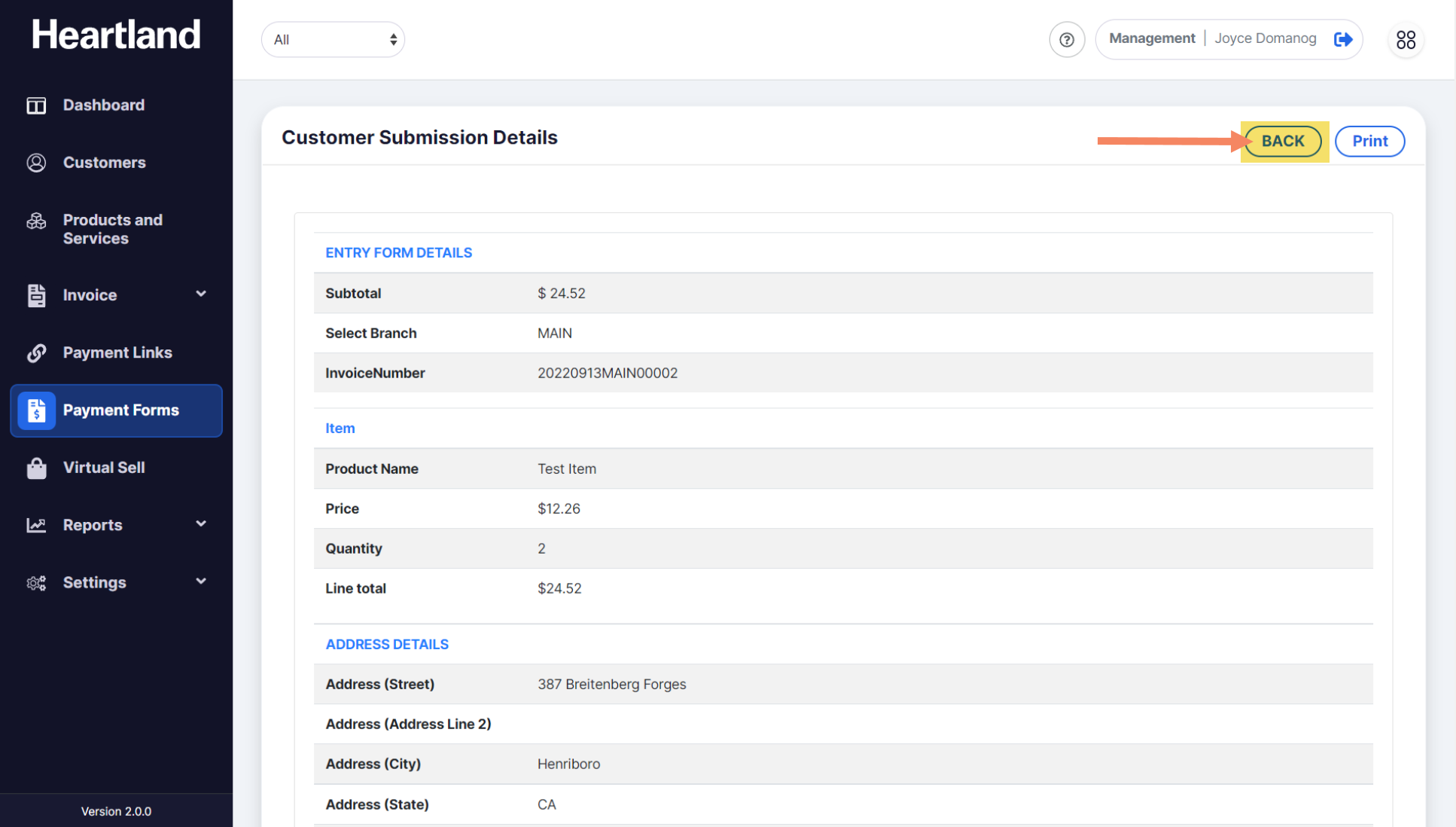
Click the Back button to go back to the list of all entries.
View Selected Form Entries
Step 1
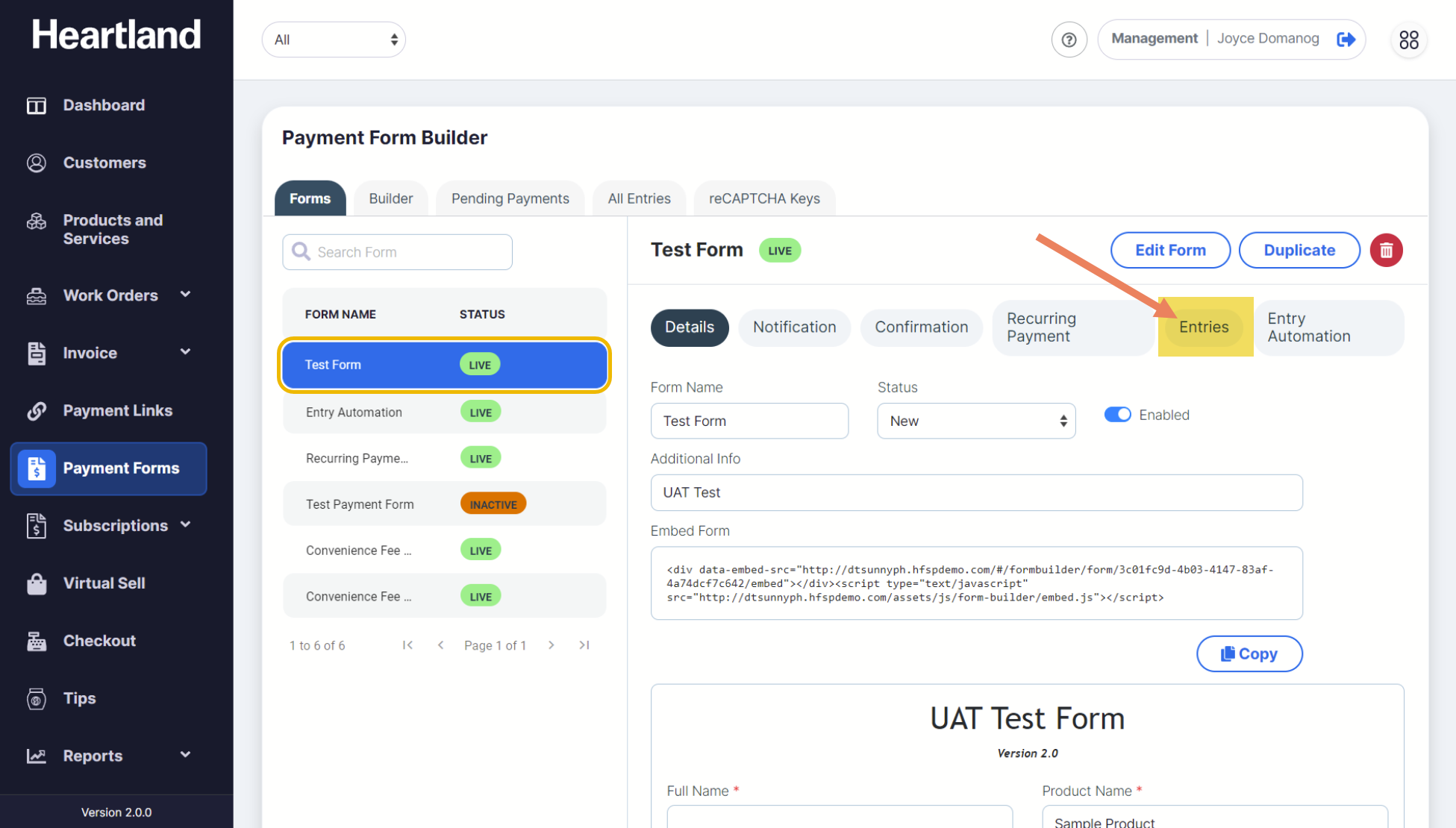
First, select your preferred form from the list of forms available.
Step 2
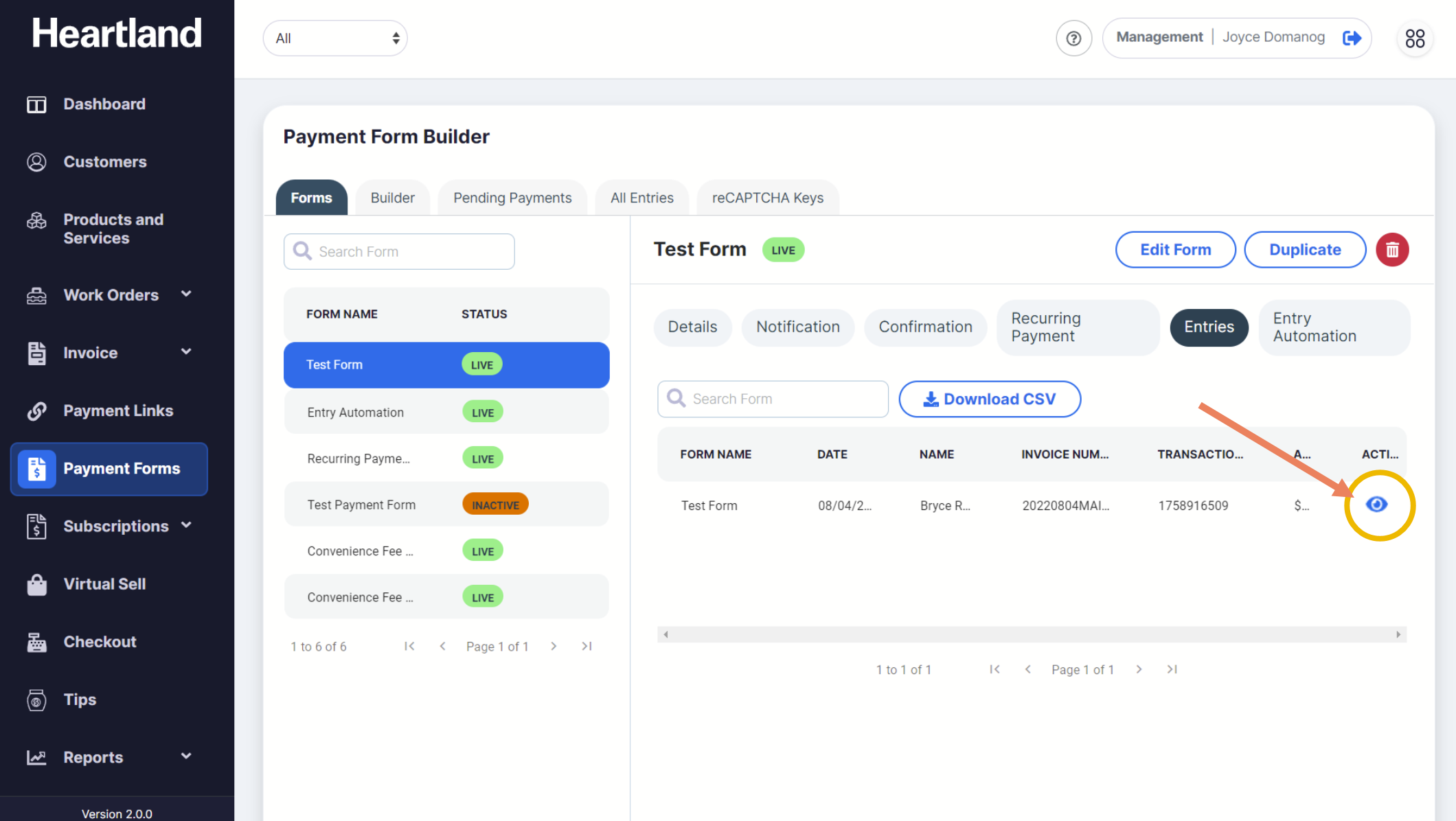
To view Entries on a selected form, select Entries on the right part of the screen.
Step 3
Click the eye icon (👁) to view more details about the transaction.
Step 4
Click the Back button to go back to the list of all entries.
Comments
0 comments
Please sign in to leave a comment.