
 Duplicating a Payment Form allows merchants to easily create a new payment form with the same format and add a few changes or adjustments to the form.
Step 1
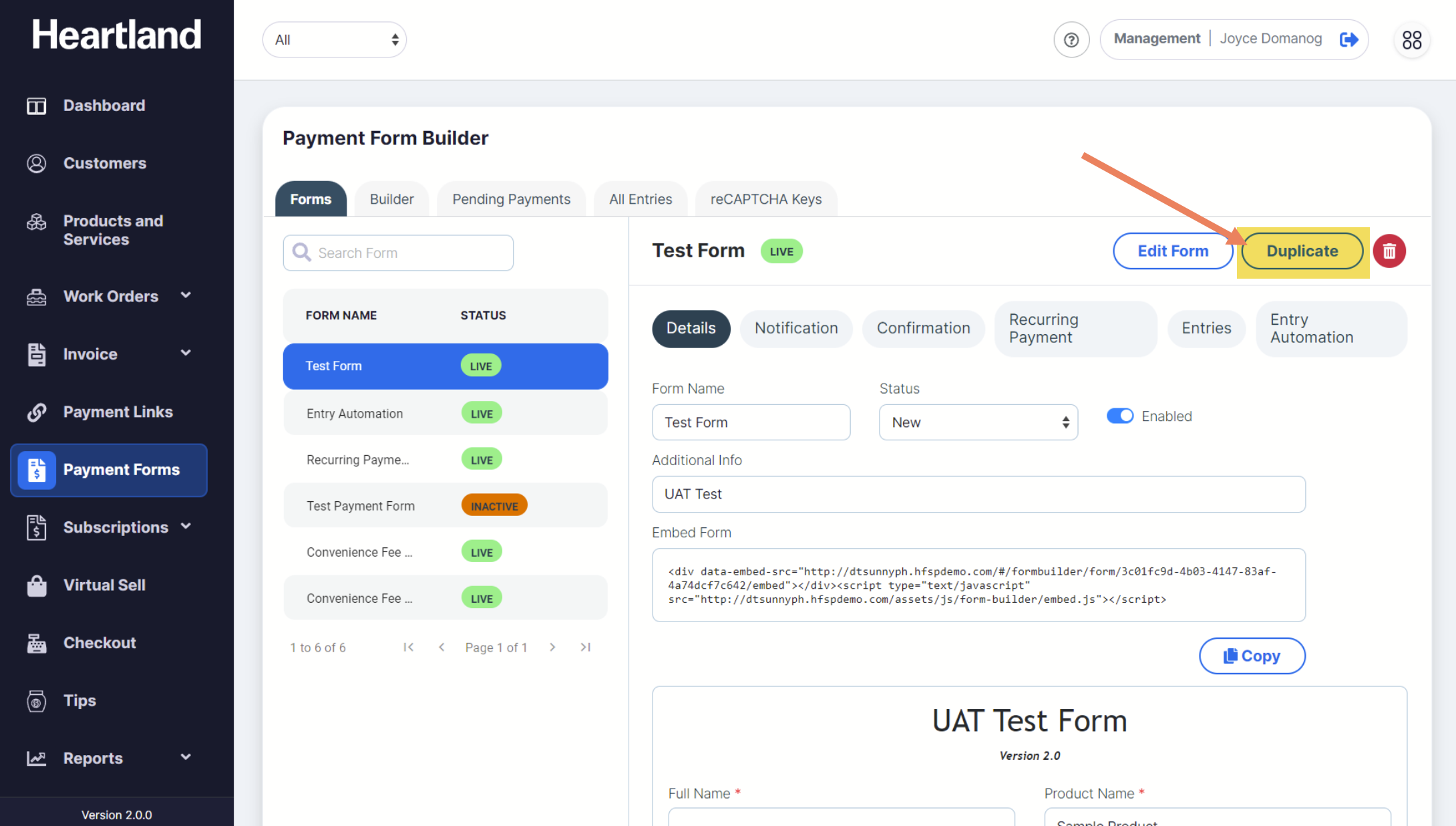
To duplicate a form, click Duplicate on the right part side of the screen.
Step 2
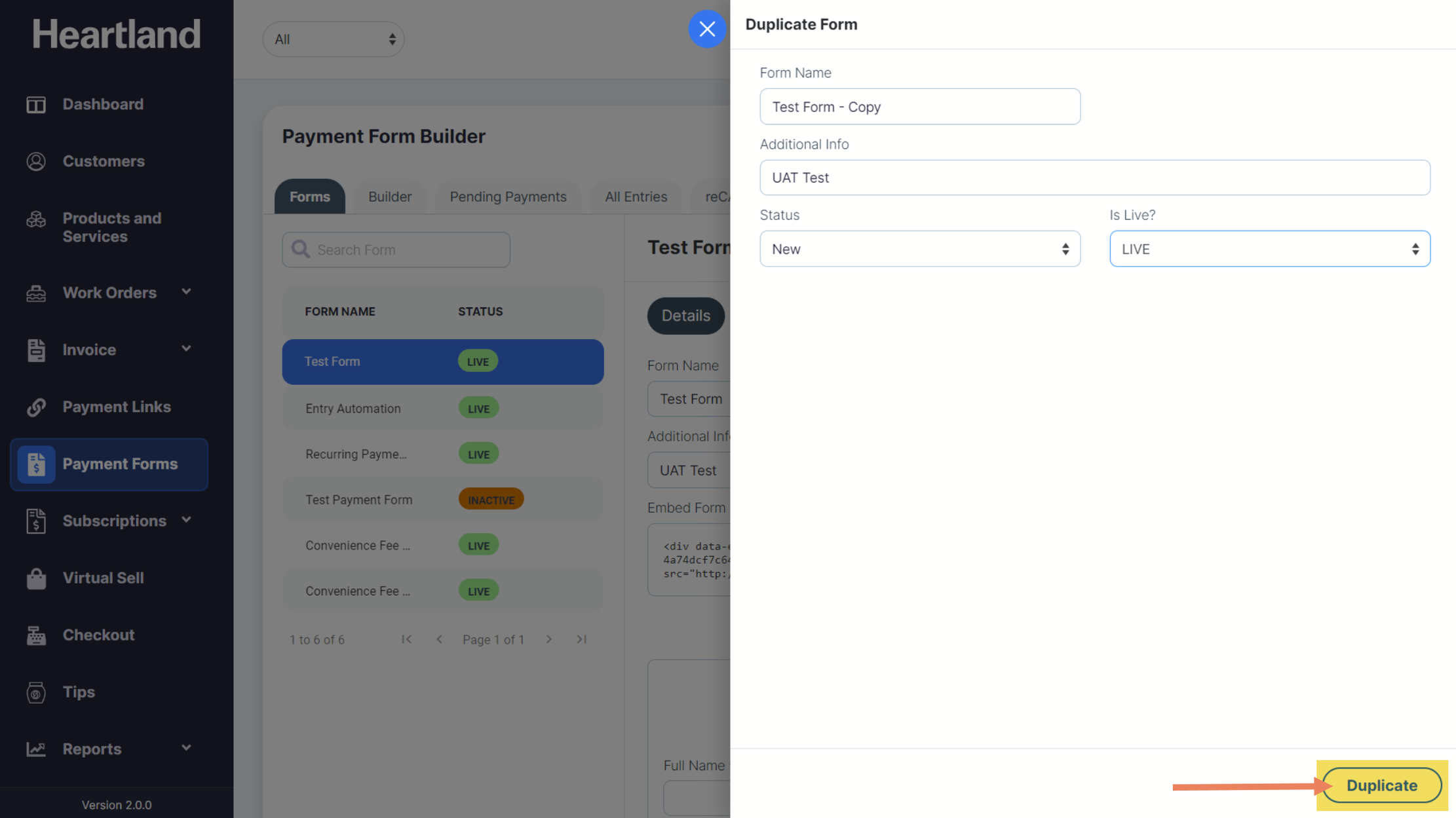
Duplicate Form slide-out modal will appear. Populate necessary changes to the form and click Duplicate.
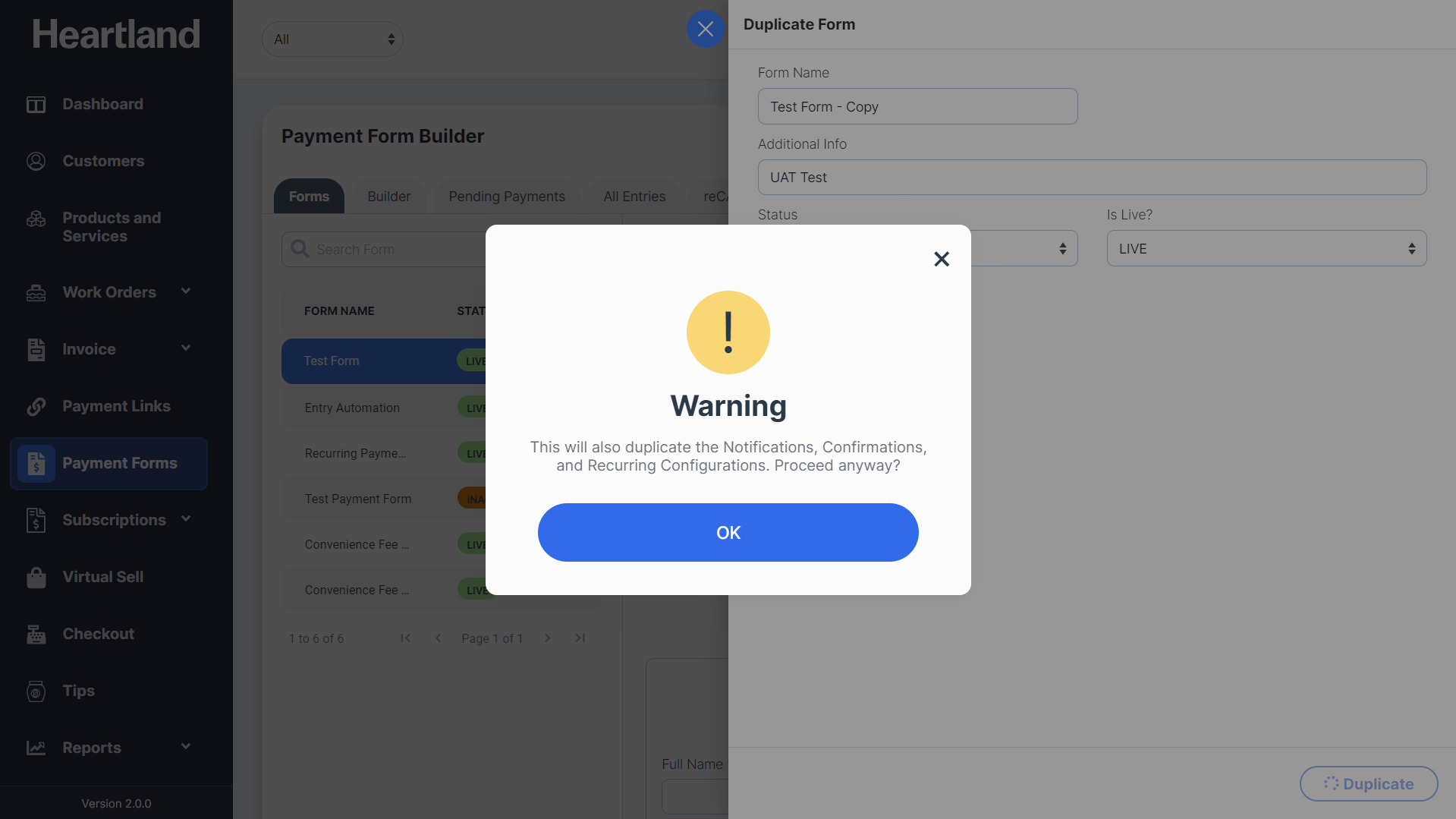
 A message will appear indicating that notifications, confirmations and recurring configurations from the original payment form will also be copied to the new form.
Step 3
Click OK to proceed.
 A message will appear when form has been duplicated successfully.
Step 4
Click OK and proceed to updating the duplicated form.
Comments
0 comments
Please sign in to leave a comment.