
 Recurring Payments are added to a payment form for customers to be charged automatically depending on the frequency selected upon submitting the form.
NOTE: To successfully add a Recurring Payment Frequency, a recurring component must be added first in your form. Click here to learn how to add a recurring payment component.
Step 1
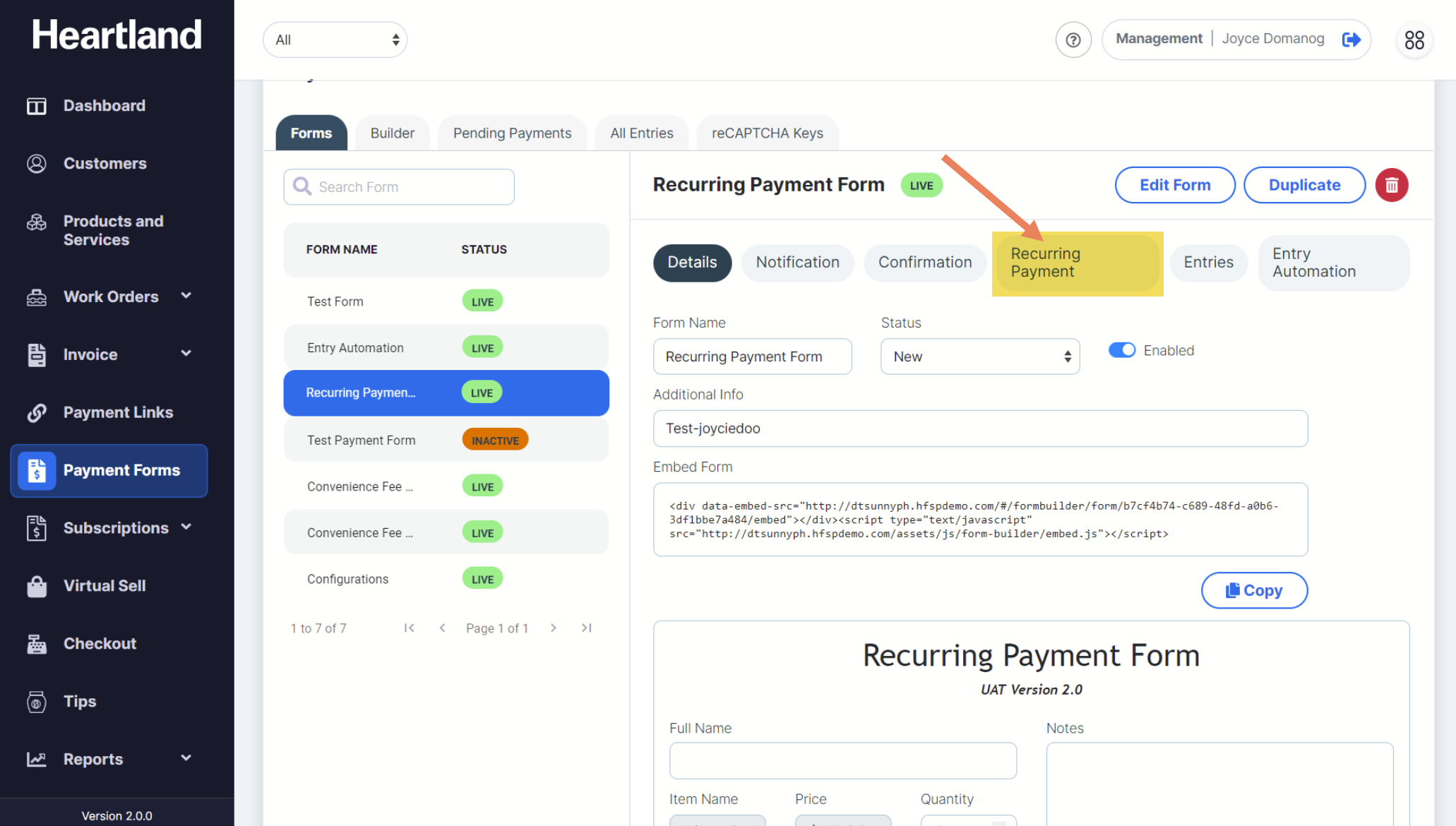
To view Payment Form Recurring Payment Configuration, click Recurring Payment as shown below:
Step 2
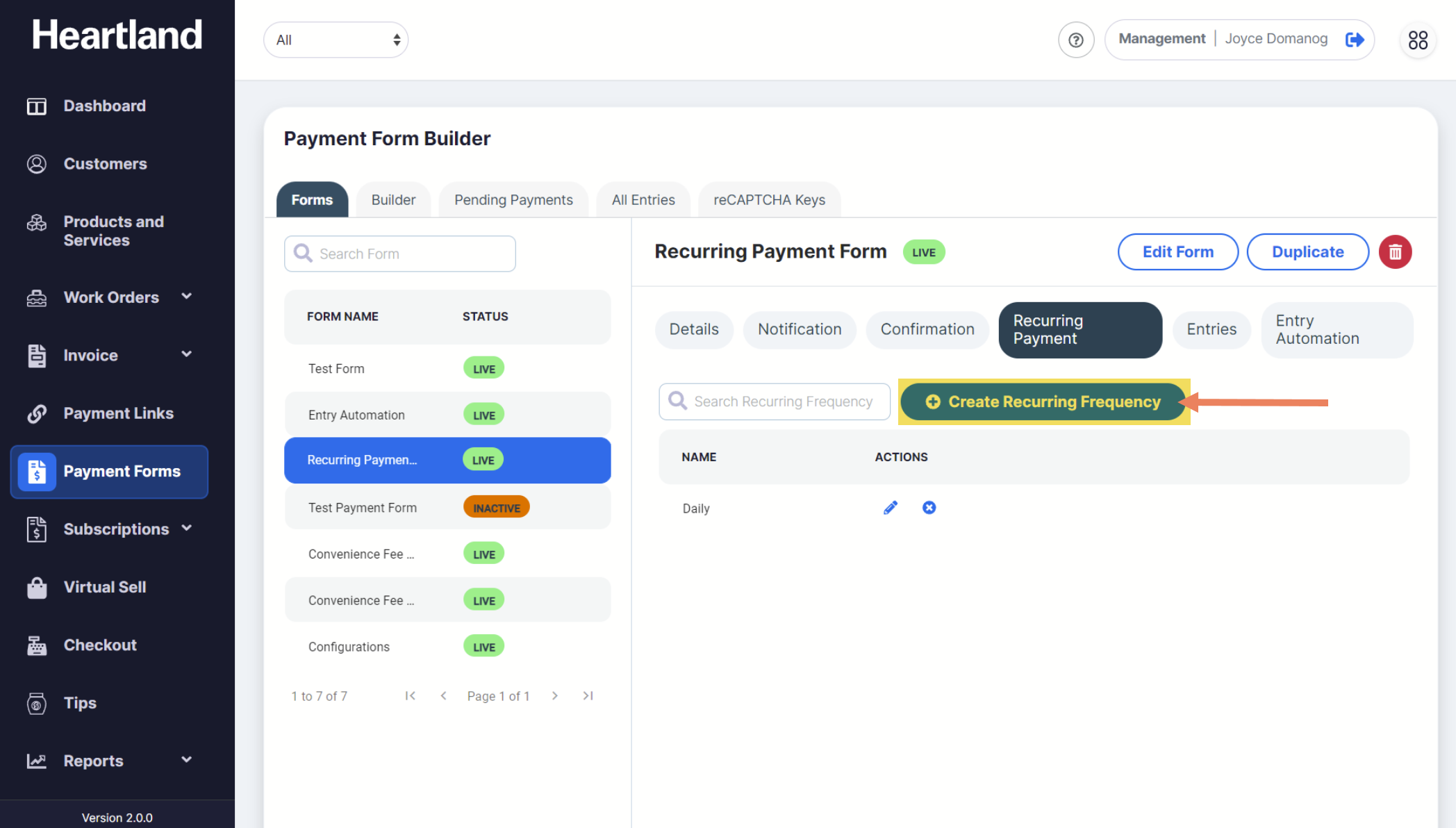
To add a new recurring frequency, click Create Recurring Frequency.
Step 3
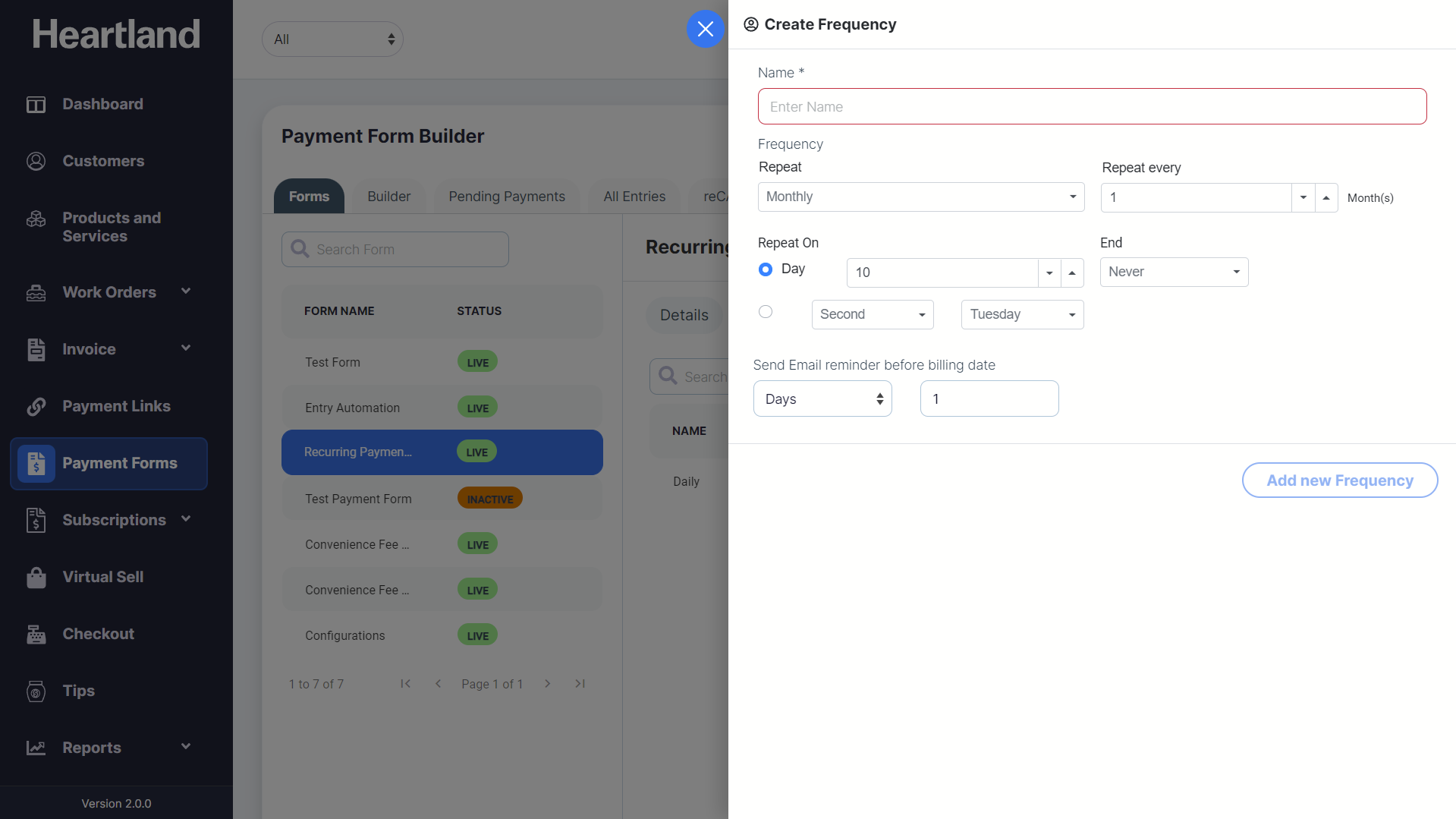
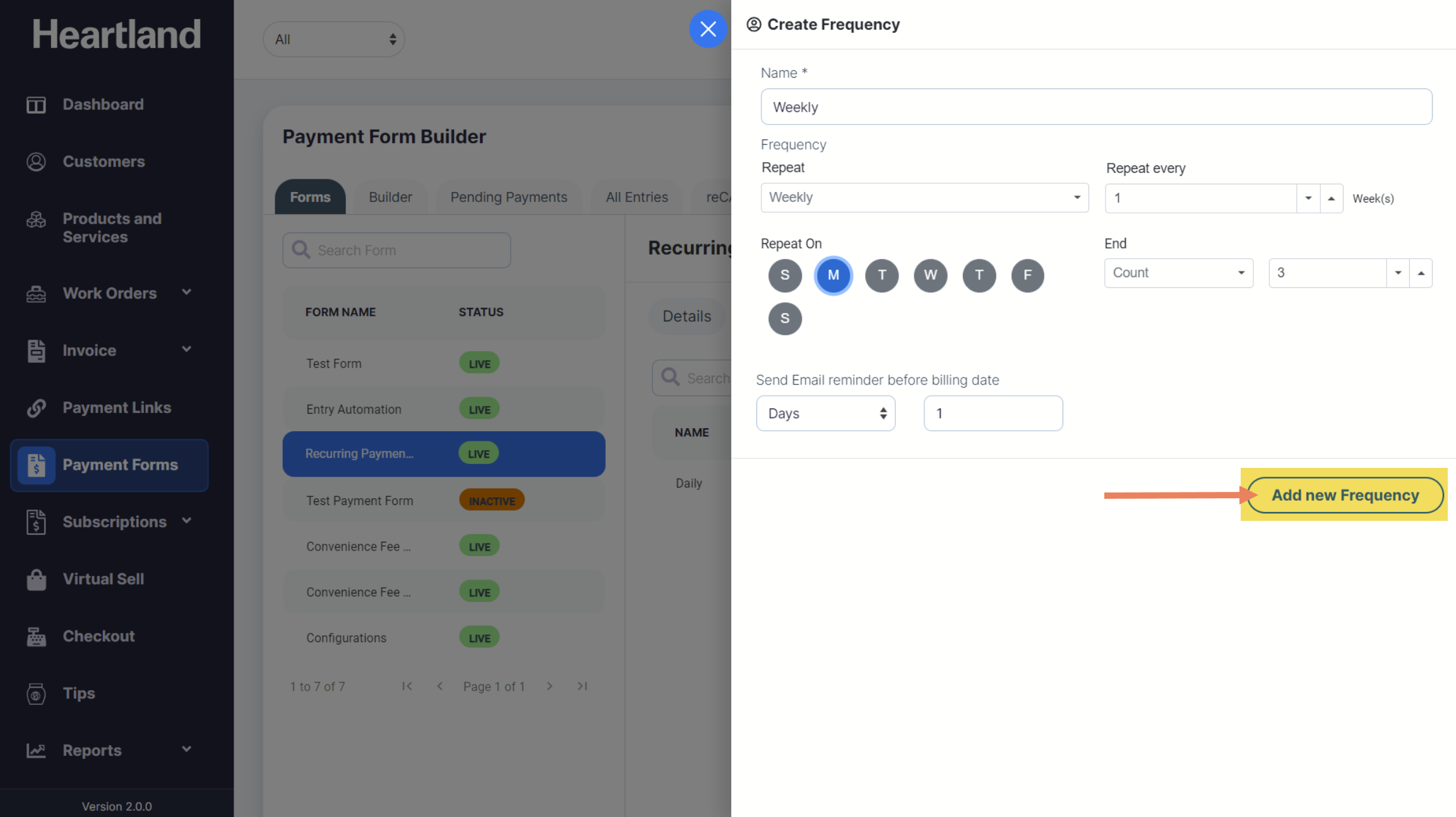
Create Frequency slide-out modal will appear.
Step 4
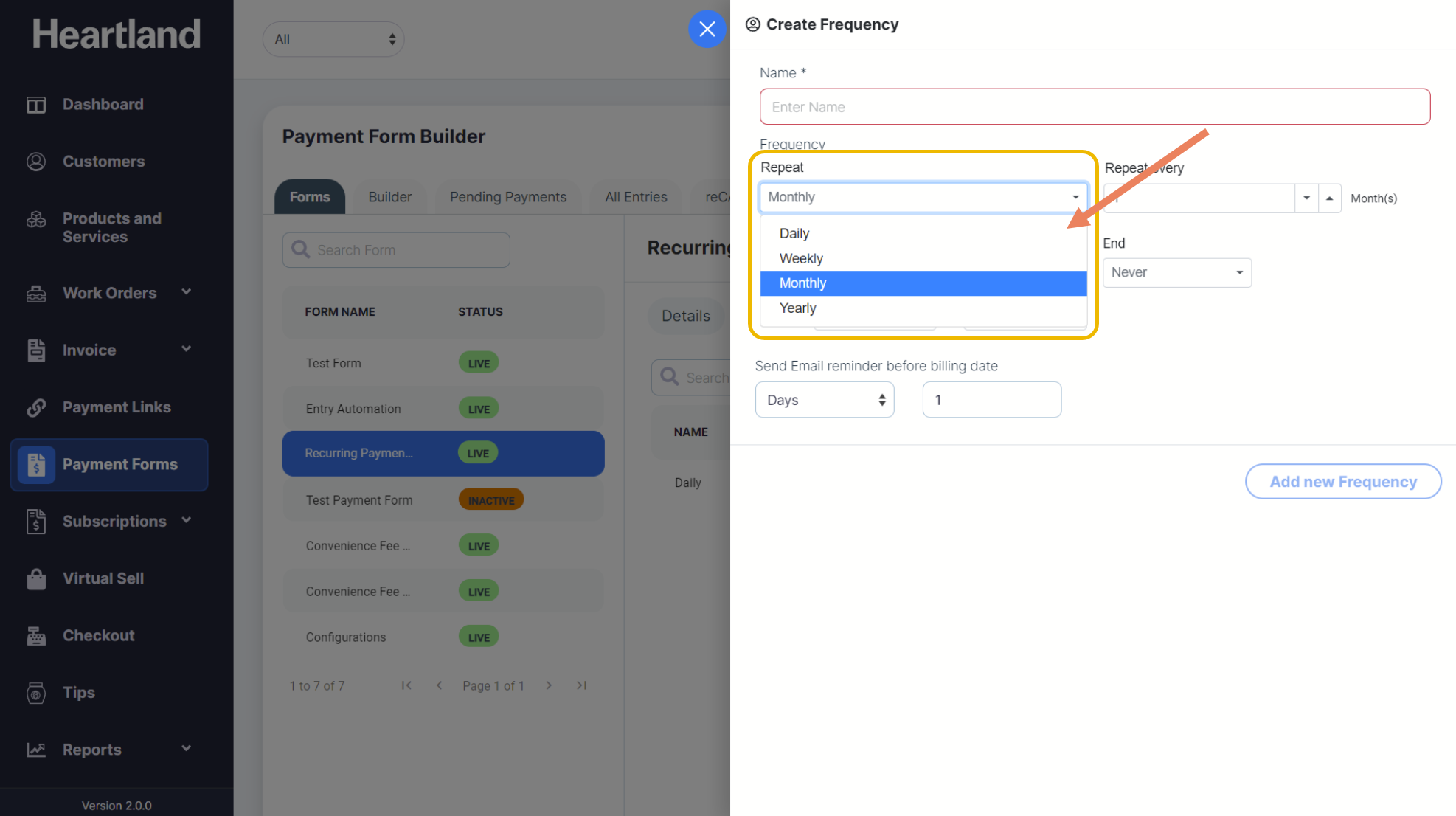
Populate Frequency Name and set payment form frequency which can be repeated daily, weekly, monthly or yearly.
Step 5
Click Add new Frequency to proceed.
 A message will appear once frequency has been added on the selected payment form.
Step 6
Click OK.
NOTE: Recurring Payment Configurations may only be added when the payment system component used in the form is for CARD transactions ONLY.
Comments
0 comments
Please sign in to leave a comment.