
 Payment Form Confirmations are added to customize confirmation message on success or on failure in a payment form transaction.
Step 1
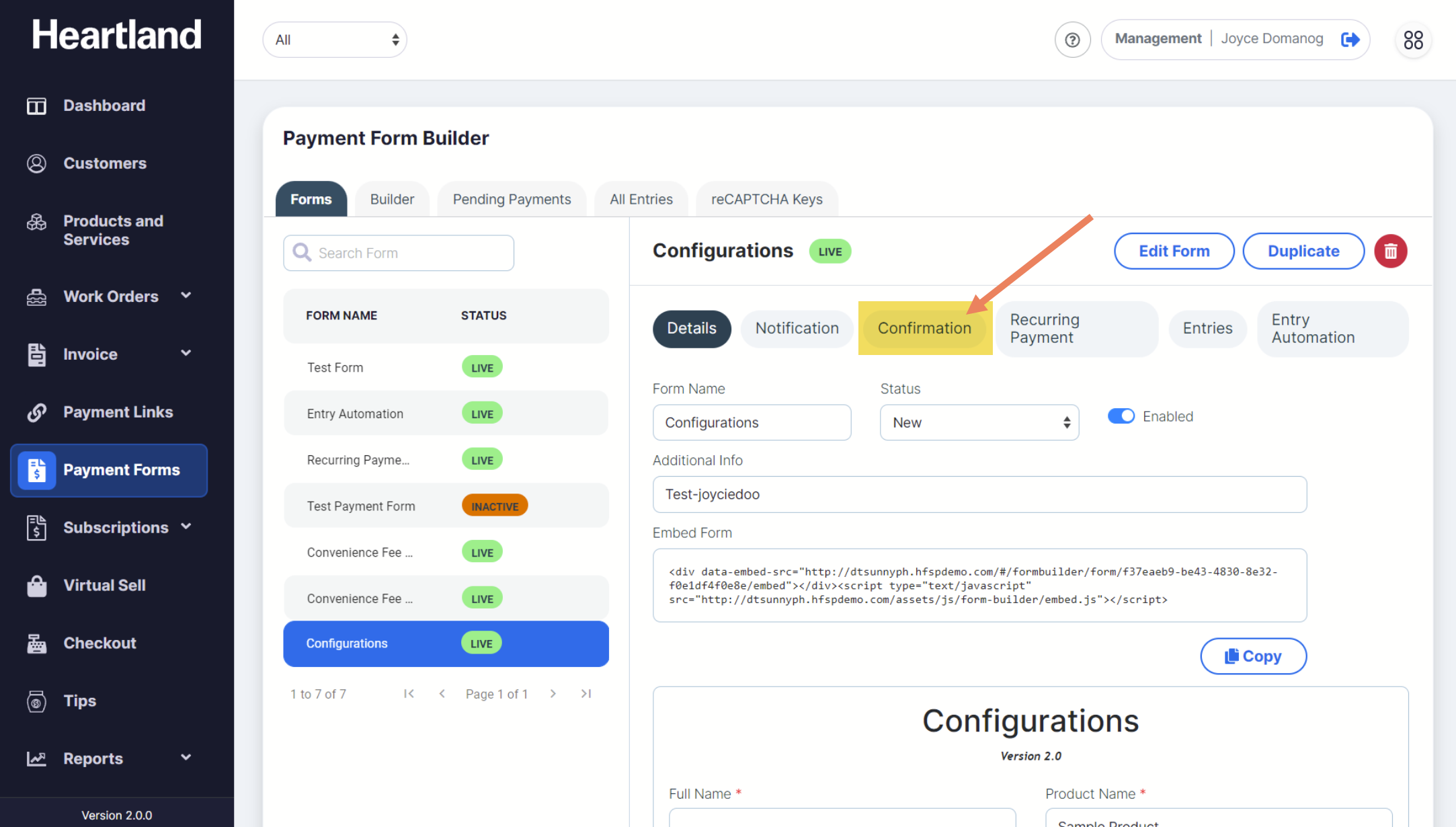
To view Payment Form Confirmations, click Confirmation as shown below:
Step 2
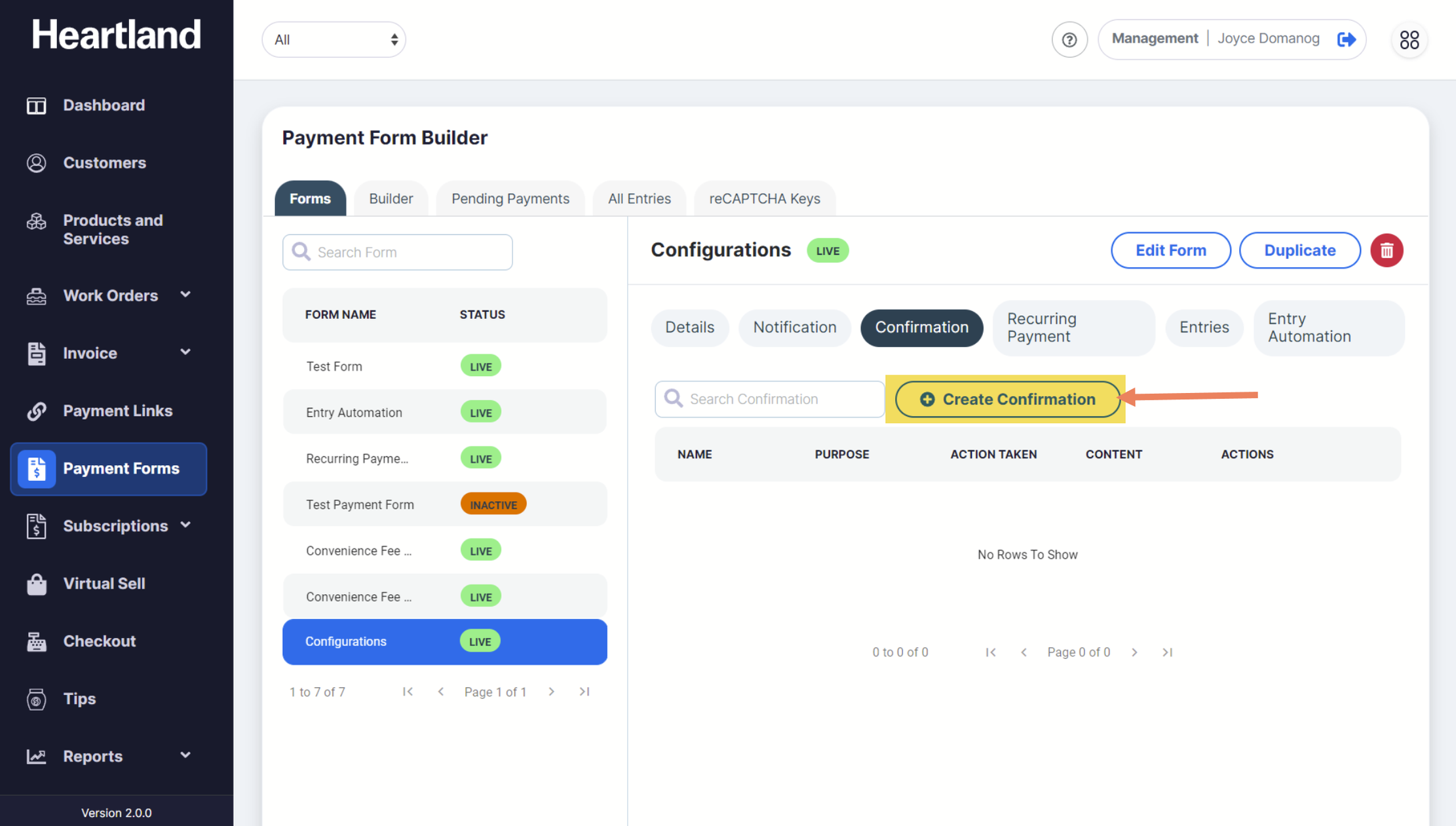
To add a new notification, click Create Confirmation.
Step 3
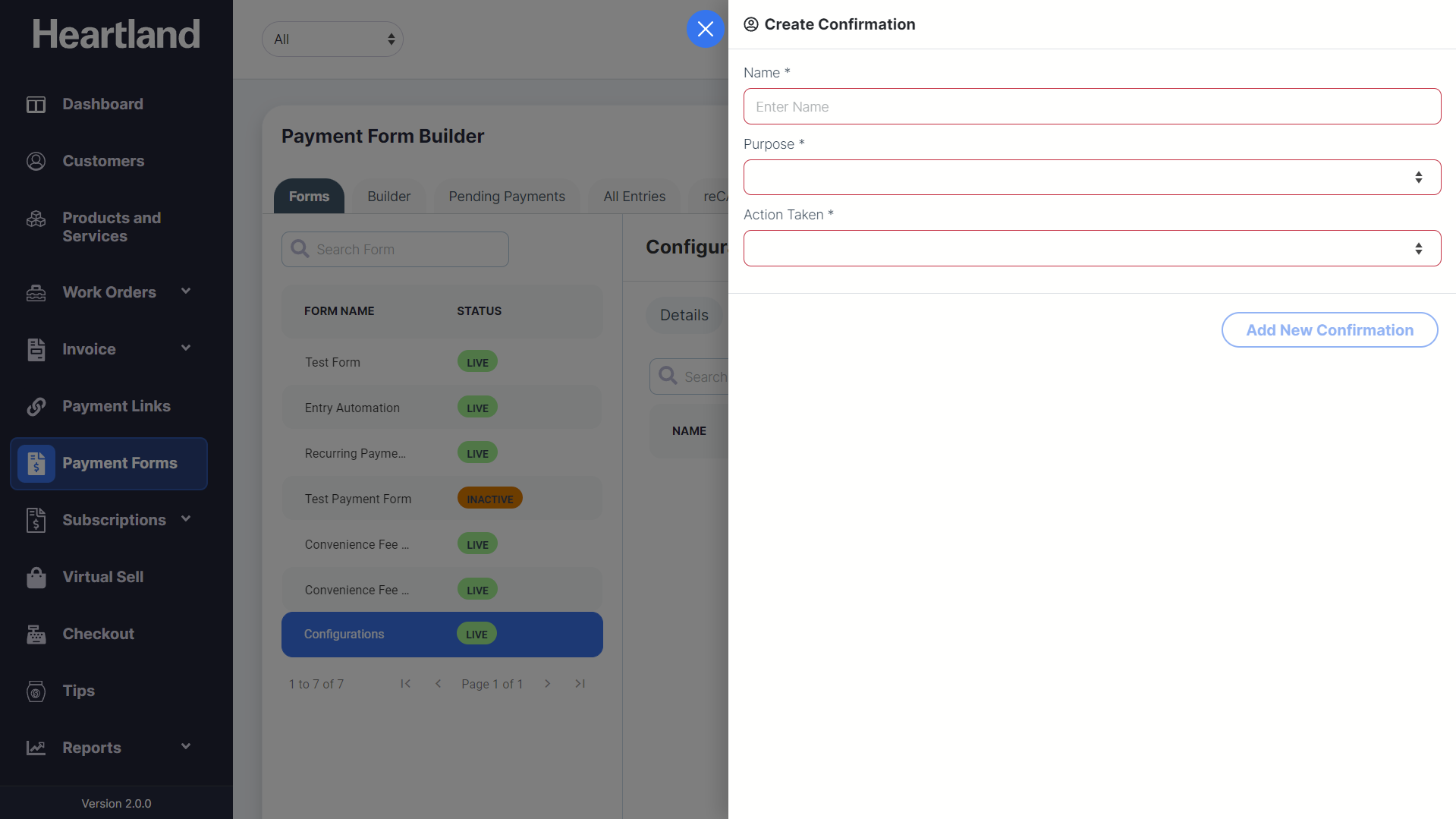
Create Confirmation slide-out modal will appear.
Step 4
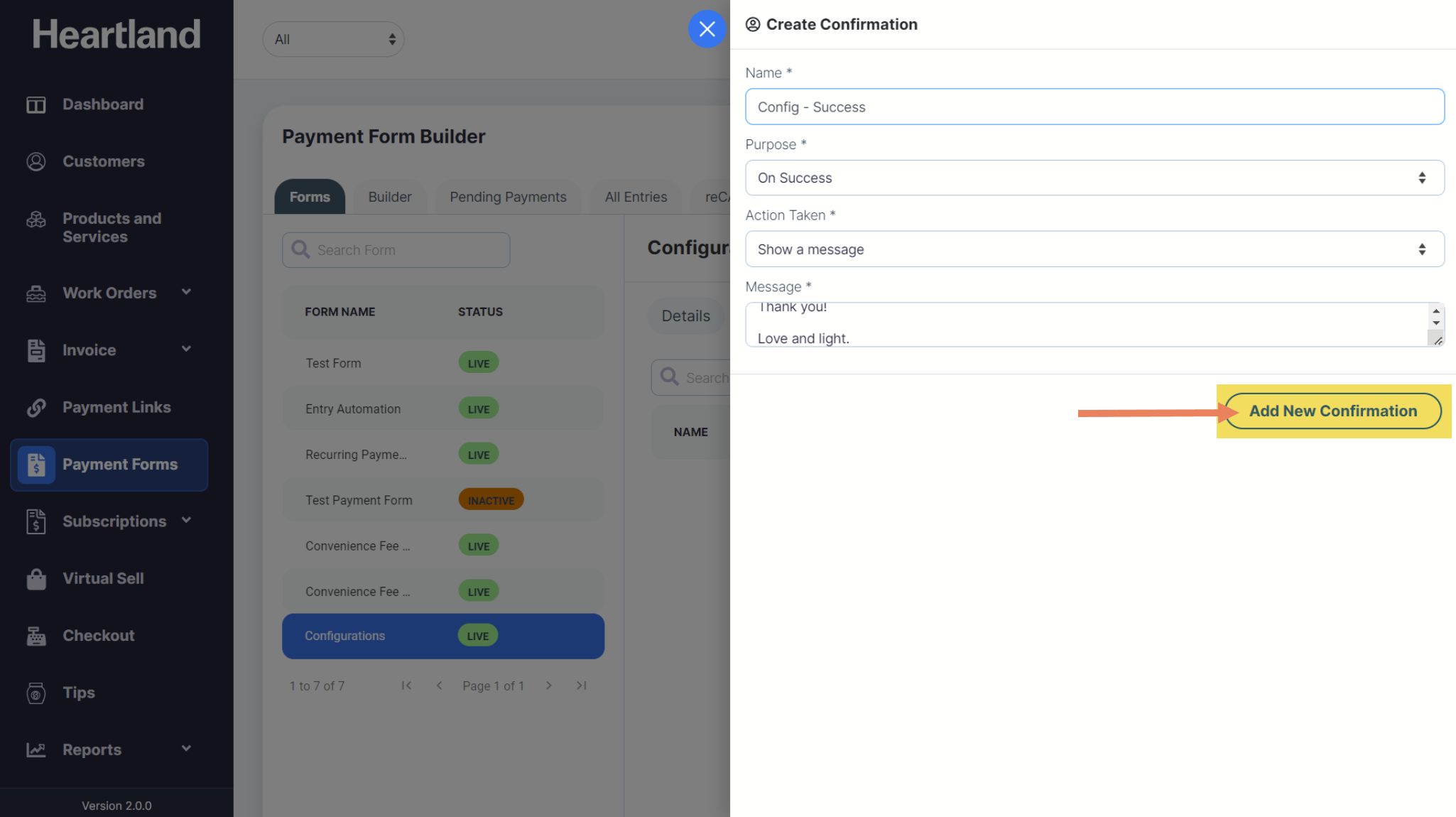
Fill out all fields and click Add New Confirmation.
 A message will appear when adding a confirmation is successful.
Step 5
Click OK.
NOTE: You can only create ONE confirmation for successful transactions and ONE for failed transactions.
Comments
0 comments
Please sign in to leave a comment.