
 Payment Form Notifications are added to allow merchant owners or corresponding recipients get an email alert when a payment has been made.
Step 1
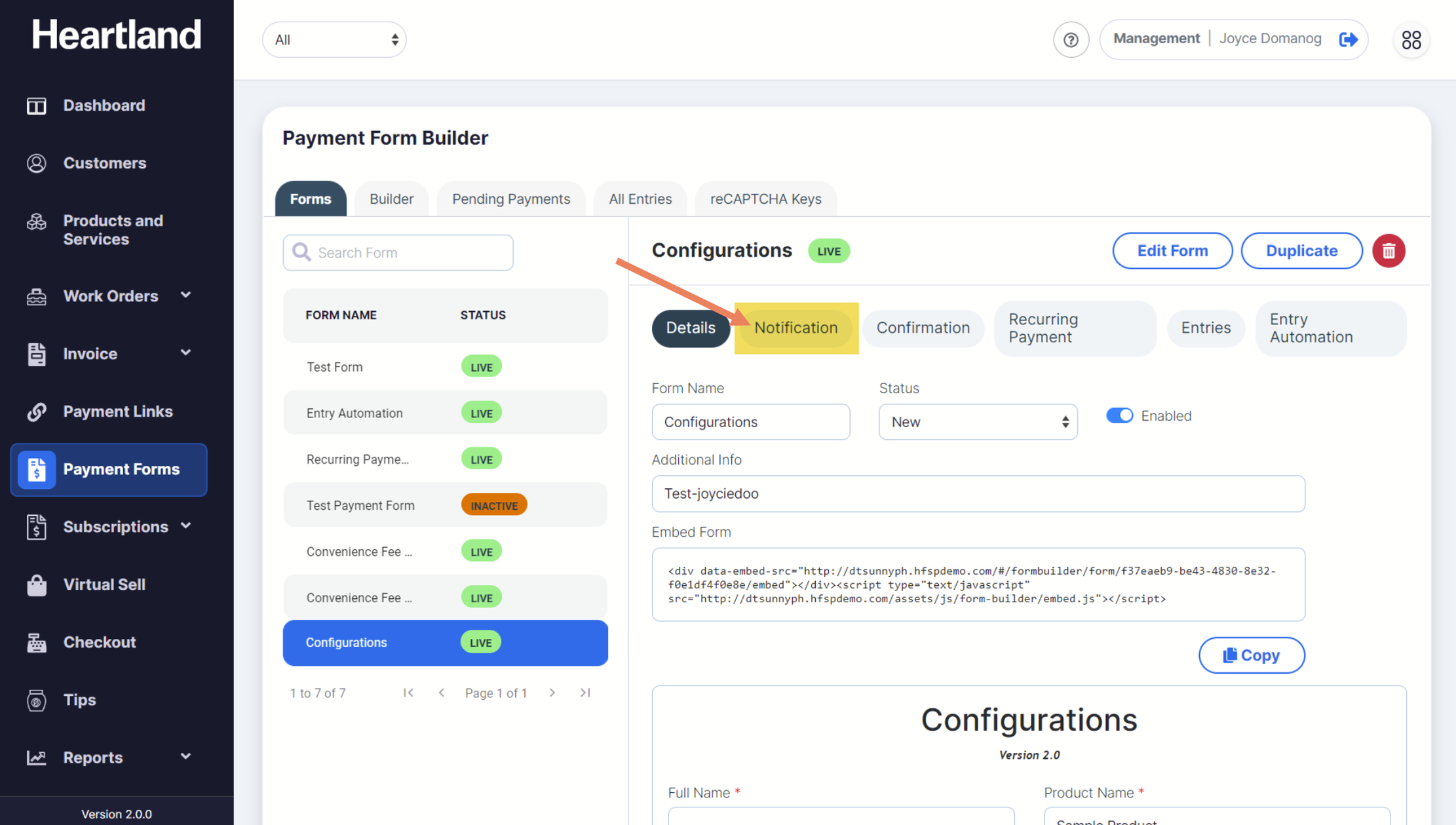
To view Payment Form Notifications, click Notification as shown below:
Step 2
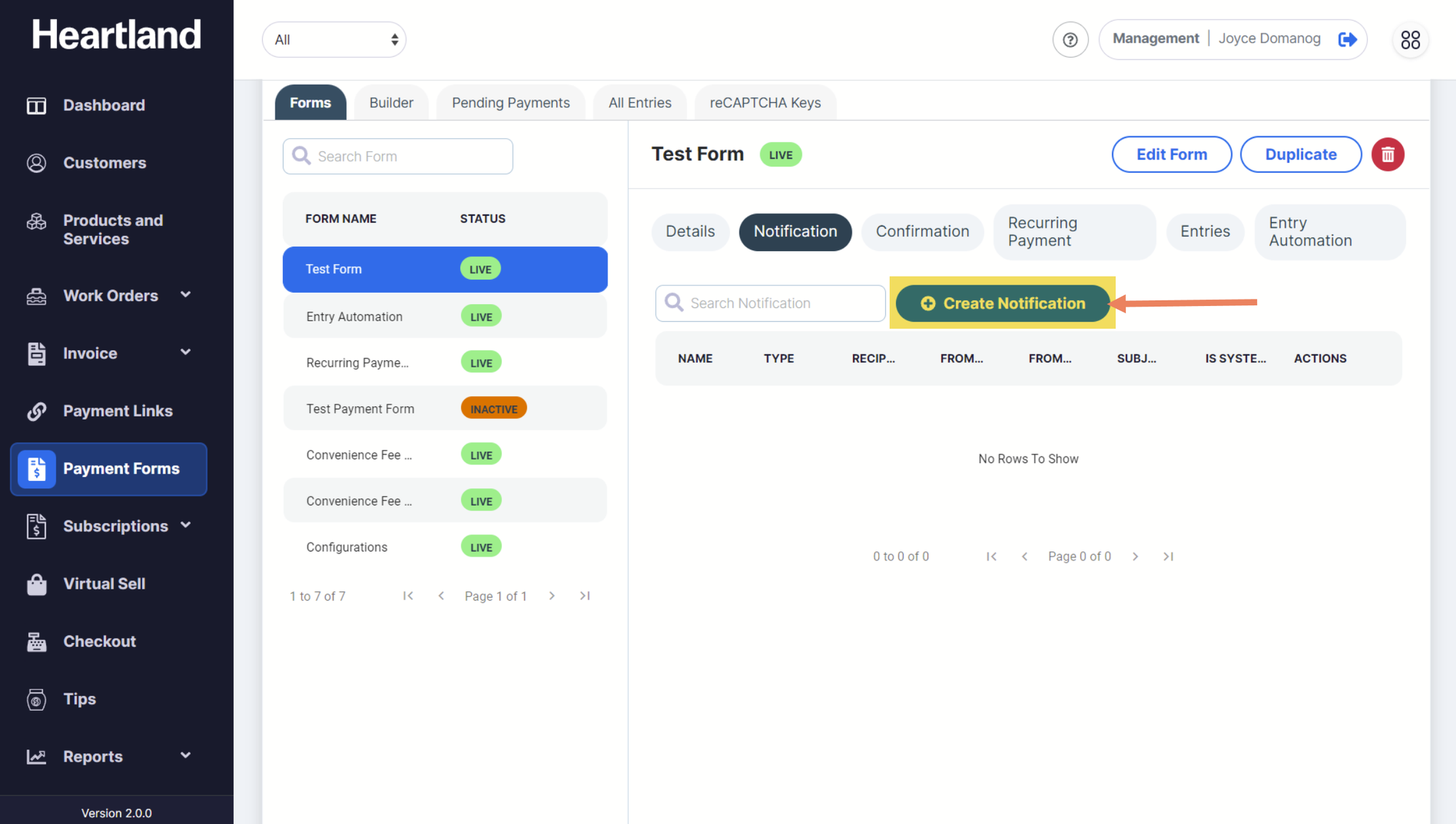
To add a new notification, click Create Notification.
Step 3
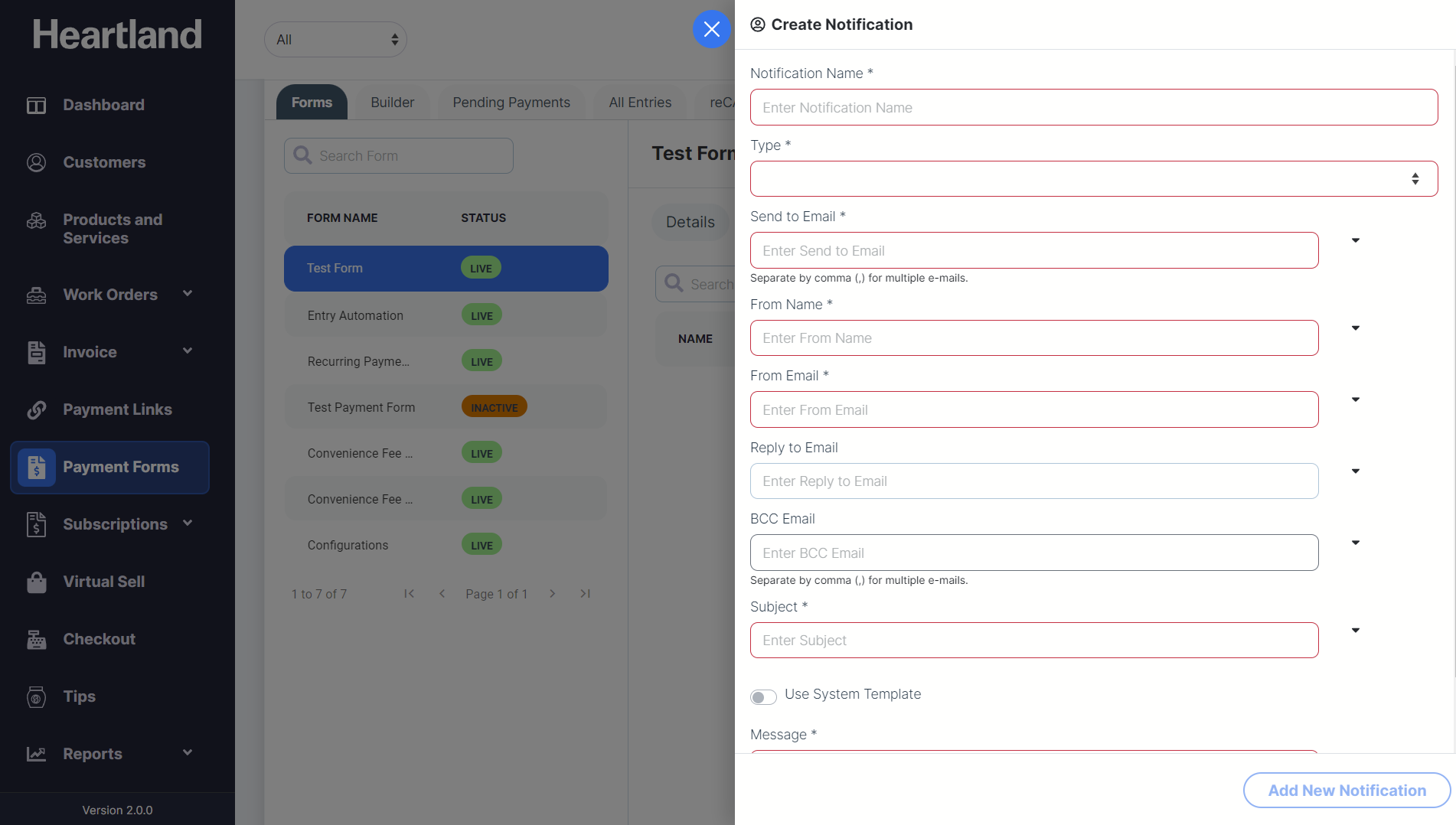
Create Notification slide-out modal will appear.
Step 4
Populate the required fields when adding a new Notification.
Dropdown selections are available for notification fields based on the components used in the Payment Form.
NOTE: You may use the System Email Template or create own message for the notification.
Step 5
Click Add New Notification.
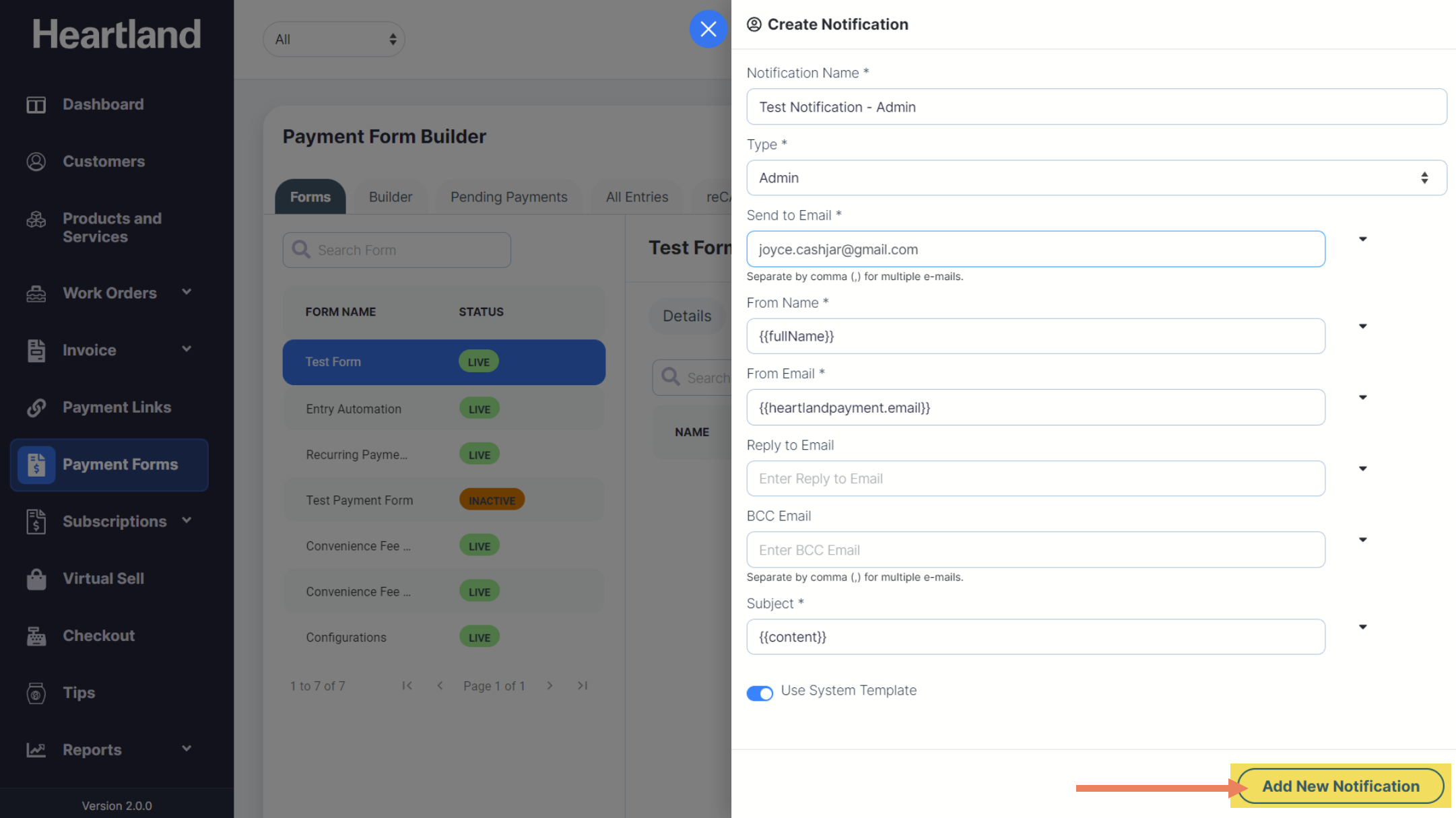
 A success message will appear when adding a new notification is successful.
Step 6
Click OK.
NOTE: You can only create ONE notification for each notification type.
Comments
0 comments
Please sign in to leave a comment.