
View/Edit Notification
Step 1
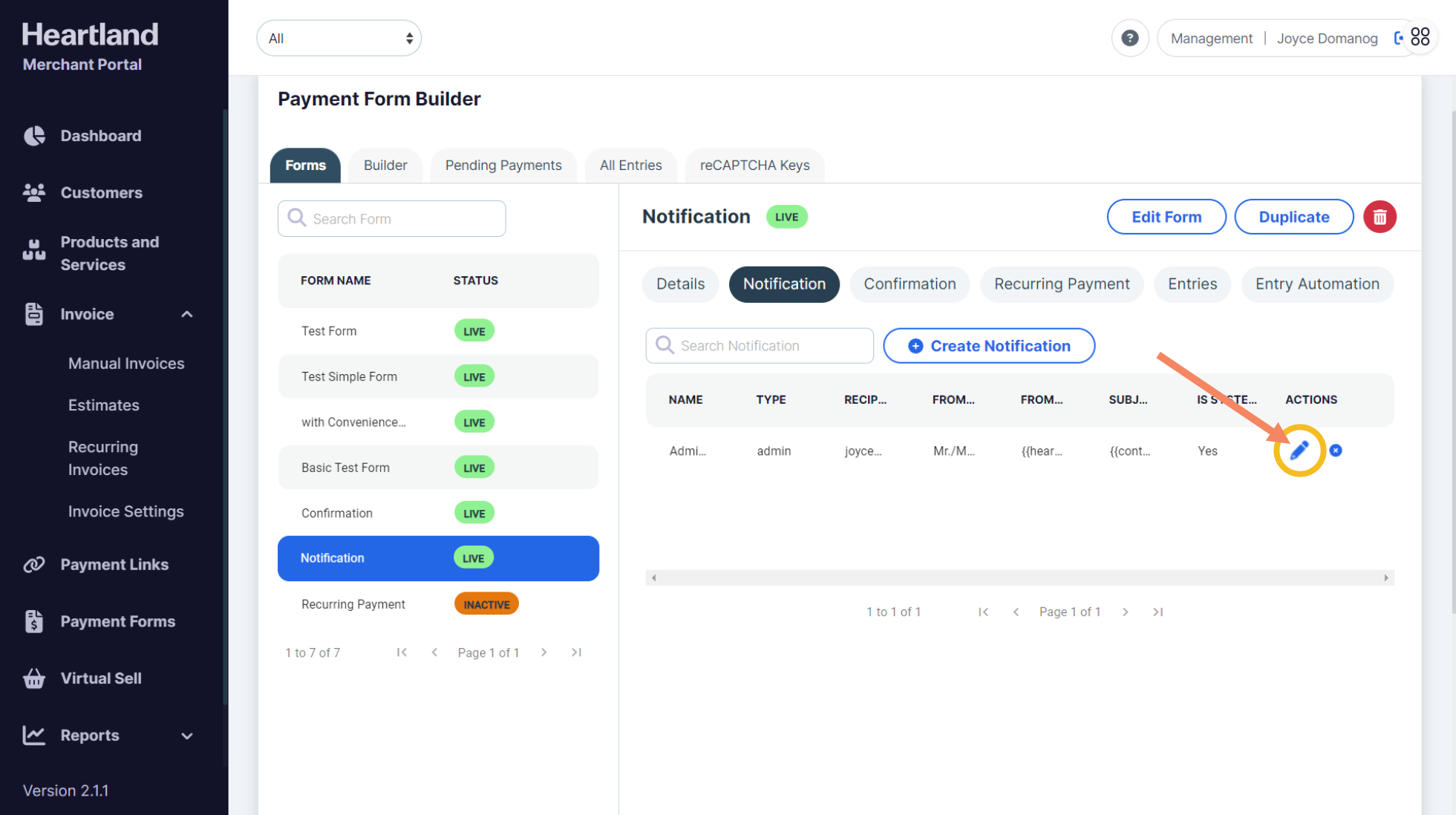
To view/edit a notification, click the pen icon(🖊) as shown below:
Step 2
Once changes has been made, click Update Notification.
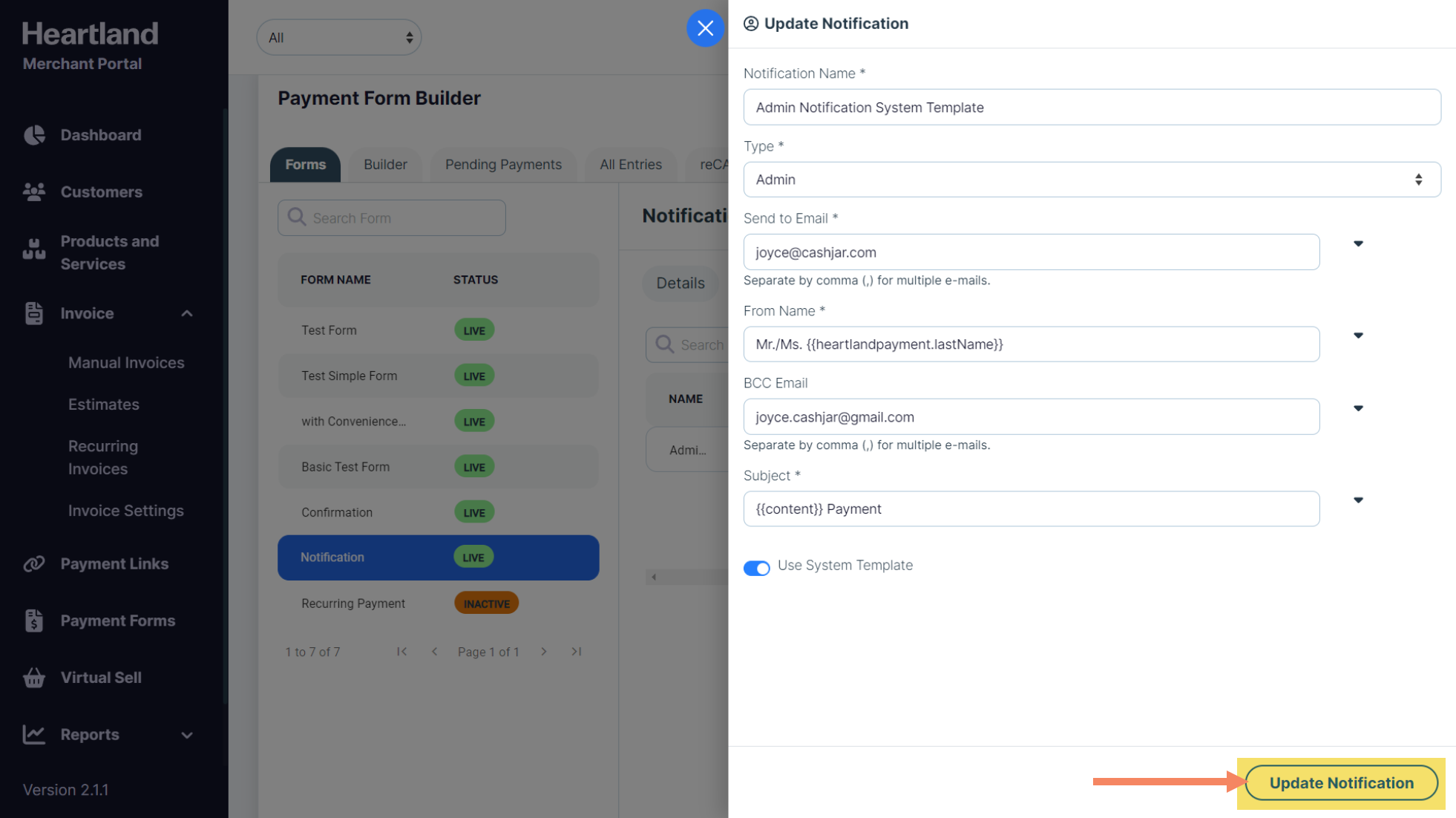
 A message will appear once changes has been saved.
Deleting a Confirmation
Step 1
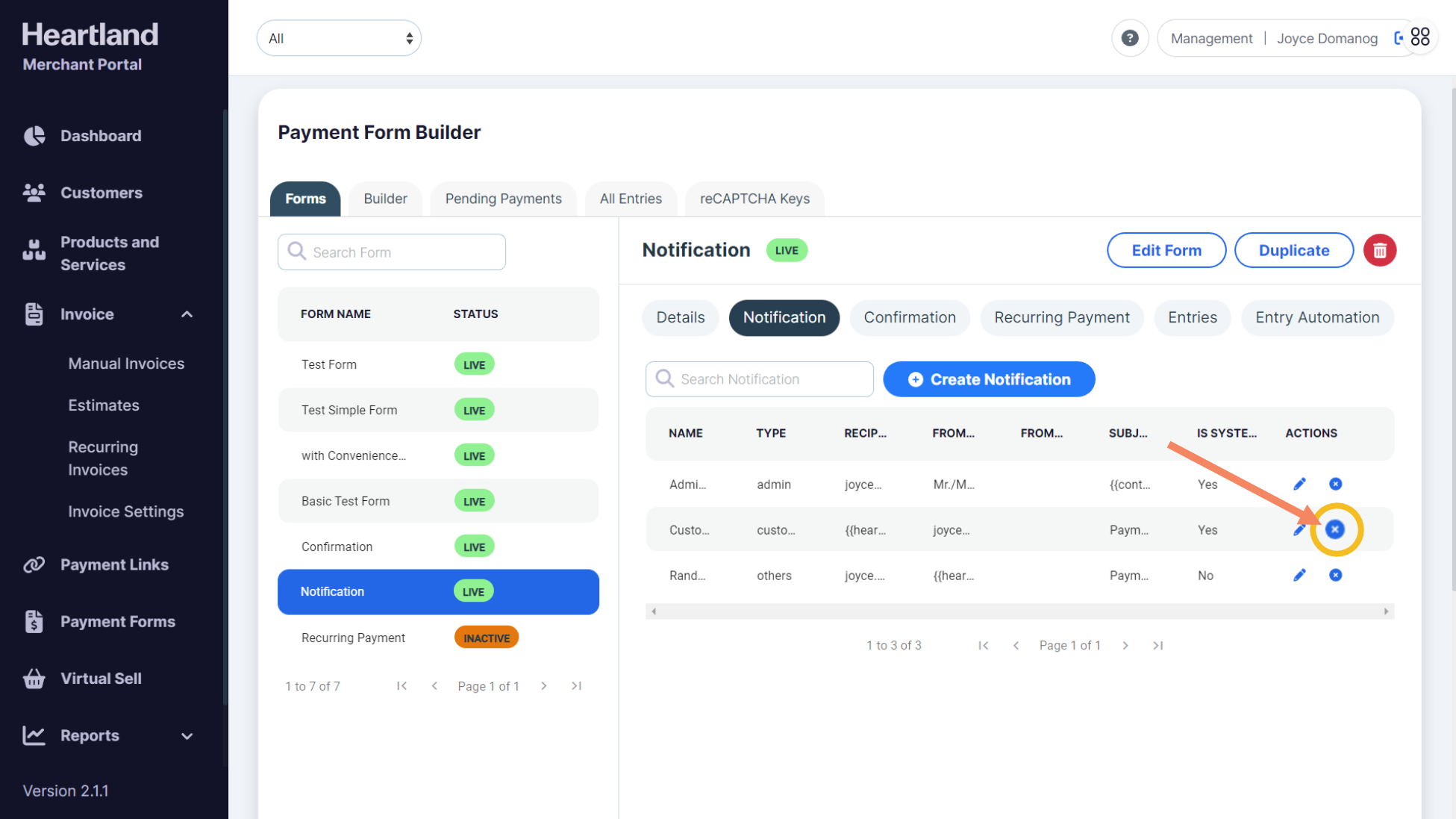
To delete a notification, simply click the x icon(ⓧ) as shown below:
Step 2
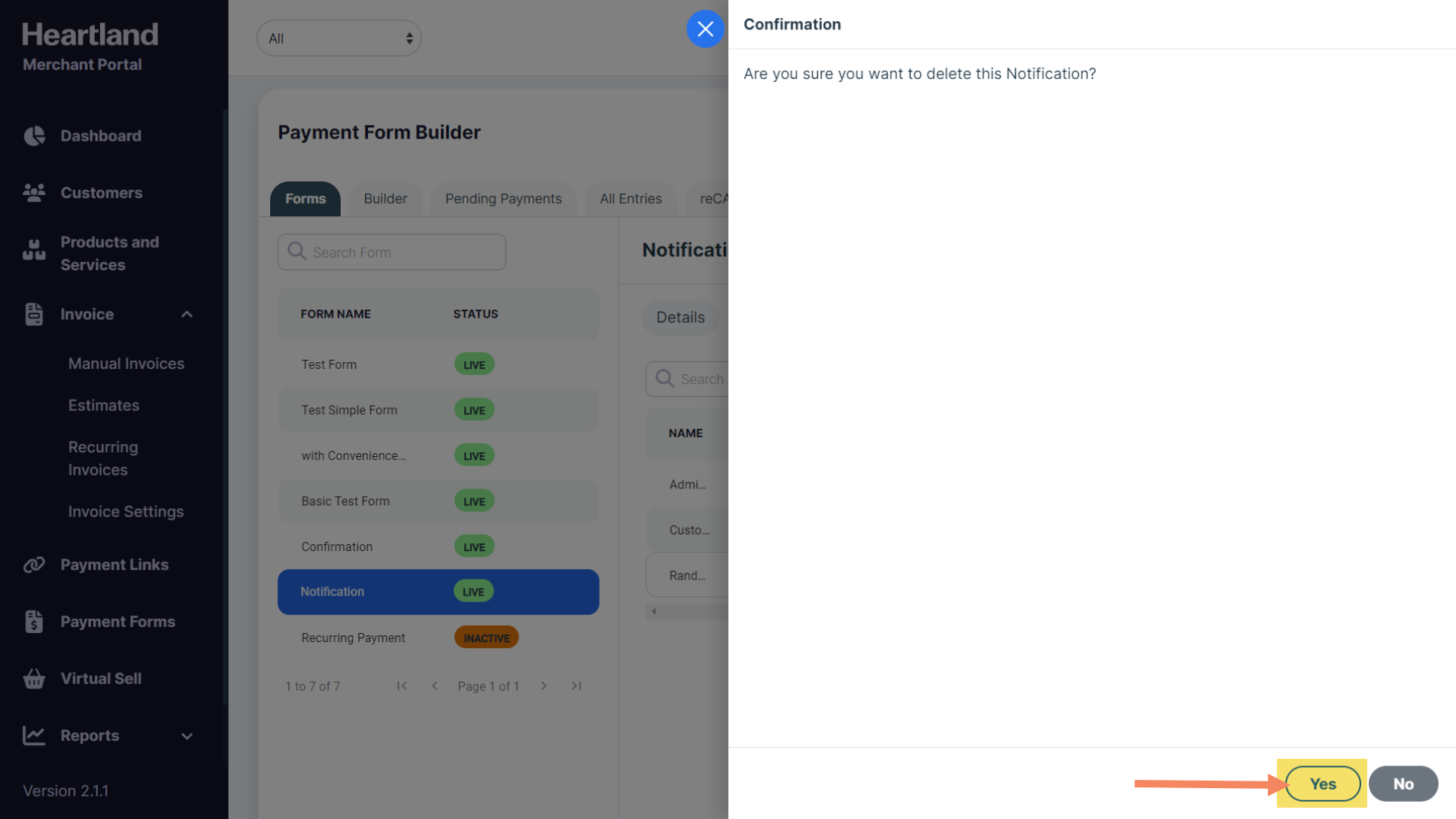
A confirmation slide-out will appear. Click Yes to confirm the deletion.
Comments
0 comments
Please sign in to leave a comment.